Affiliate disclosure: This post contains Amazon affiliate links. We may earn a commission if you purchase through our links, at no extra cost to you.
Your smart TV’s interface is slow and frustrating. Apps take forever to load. The remote is a maze of useless buttons. Updates break things that used to work.
A streaming stick transforms any TV into a responsive, modern smart TV—and the Roku Streaming Stick 4K does it better than anyone at $50.
Our verdict: The Roku Streaming Stick 4K is the best streaming device for most people, offering every app, the simplest interface, and platform-neutral design that doesn’t push one ecosystem over another.
Our Pick: Roku Streaming Stick 4K
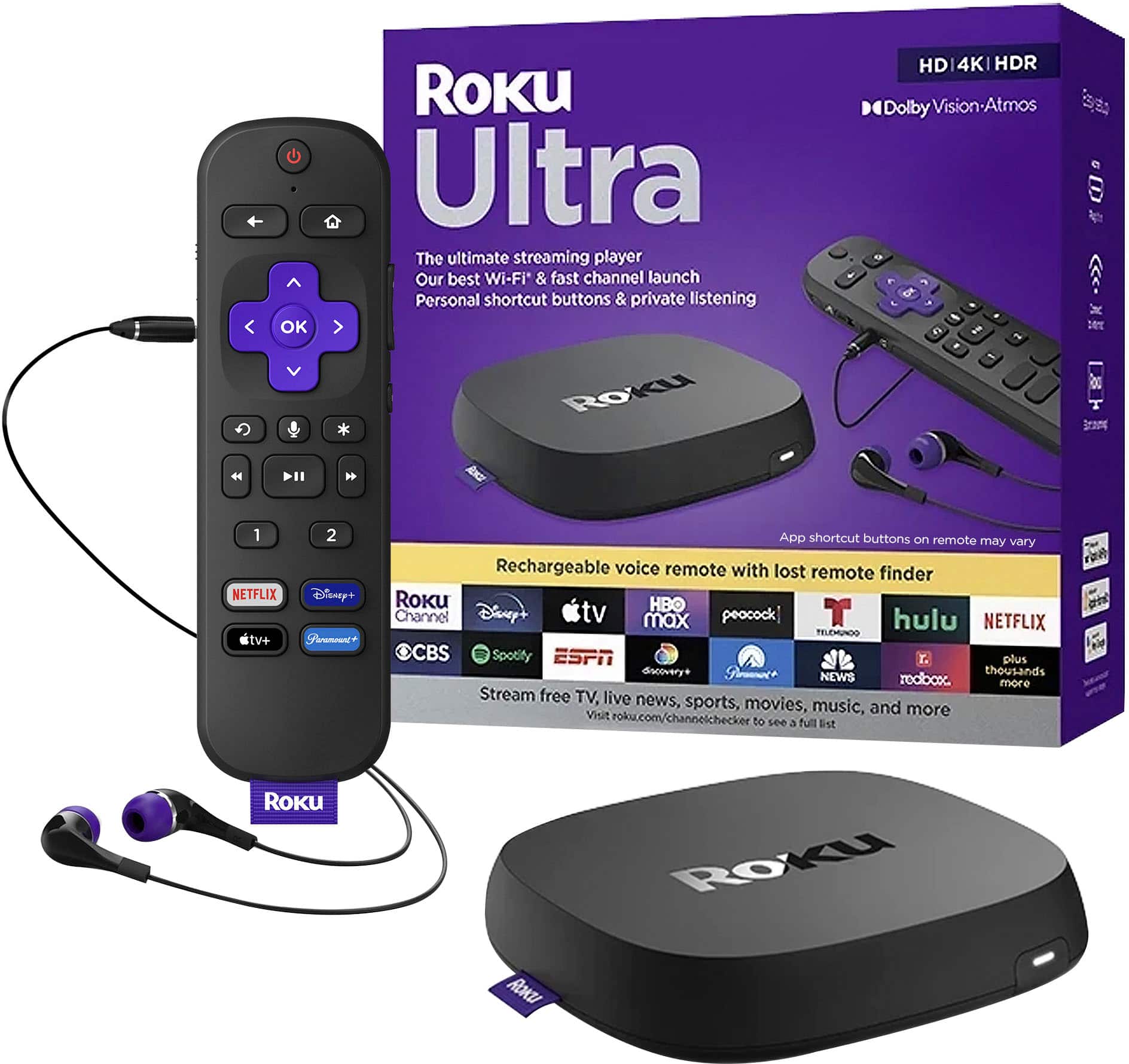
Quick take: 4K HDR10+ streaming, Dolby Vision, dual-band WiFi, voice remote with TV controls, and access to every major streaming service. The streaming device that stays out of your way.
Best for:
- Households with multiple streaming services
- Anyone frustrated by slow smart TV interfaces
- Cord-cutters wanting simple navigation
- People who don’t want ecosystem lock-in
Skip if:
- You’re all-in on Amazon (Fire Stick integrates better)
- You want Google Assistant built-in (Chromecast)
- Ads on home screen bother you greatly
Why Roku Wins
Platform Neutrality
Unlike Fire Stick (Amazon-first) or Chromecast (Google-first), Roku treats all streaming services equally. Netflix, Prime, Disney+, Apple TV+—all get equal prominence.
No ecosystem pressure. Just your content.
The Simplest Interface
Roku’s grid of app icons is immediately intuitive. No learning curve, no buried settings, no confusion. Your parents will figure it out in minutes.
Every App That Matters
Over 5,000 channels including:
- Netflix, Hulu, Disney+, HBO Max
- Prime Video, Apple TV+, Peacock
- YouTube, Spotify, Pandora
- Live TV services (Sling, YouTube TV, Hulu Live)
If it streams, Roku has it.
Voice Remote With TV Controls
The included remote controls your TV’s power and volume—no juggling multiple remotes. Voice search works across all apps simultaneously.
The Honest Downsides
Home Screen Advertising
Roku shows promoted content and ads on the home screen. You’ll see movie promotions and sponsored tiles. Some users find this annoying on a device they own.
The ads don’t interrupt streaming—they’re just visual clutter on the interface.
No Built-In Assistant
Unlike Fire Stick (Alexa) or Chromecast (Google Assistant), Roku’s voice features are limited to search and navigation. No smart home control or general questions.
4K Requires Good WiFi
Streaming 4K HDR needs consistent 25+ Mbps. If your WiFi is spotty, you’ll see buffering or resolution drops.
Who Should Buy the Roku Streaming Stick 4K
Perfect for you if:
- You use multiple streaming services
- Simple, fast interface matters
- You don’t want Amazon/Google lock-in
- Budget is under $60
Consider alternatives if:
- You’re all-in on Amazon (Fire Stick 4K Max)
- You want Google Assistant (Chromecast with Google TV)
- Ads on home screen are unacceptable (Apple TV 4K)
How It Compares
| Feature | Roku Stick 4K | Fire Stick 4K Max | Chromecast w/ Google TV |
|---|---|---|---|
| Price | $50 | $60 | $50 |
| 4K HDR | Yes | Yes | Yes |
| Dolby Vision | Yes | Yes | Yes |
| Voice Assistant | Limited | Alexa | |
| Home Screen Ads | Yes | Yes | Yes |
| Best For | Neutrality | Amazon users | Google users |
The Bottom Line
The Roku Streaming Stick 4K is the streaming device for people who just want to watch TV. No ecosystem agenda, no complicated interface, no missing apps.
Accept the home screen ads as the trade-off for a $50 device that does everything well.