We need to vent for a second. I’ve spent probably $200 on USB-C hubs over the last two years, and most of them are sitting in a drawer now. Dead. Overheating. Randomly disconnecting during Zoom calls. One of them literally melted the plastic around its HDMI port — We wish I was kidding.
So when I finally sat down last month and decided to actually research this properly instead of just grabbing whatever had good reviews on Amazon, I ended up testing three hubs that kept coming up in YouTube teardown videos and on r/macsetups. And honestly? The difference between a $15 hub and a $50 one is night and day.
The short version: The Anker 555 8-in-1 is what most people should buy. The Plugable 9-in-1 is better if you need more power delivery. The Satechi looks gorgeous but costs twice as much for marginal gains.
The Anker 555 — My Daily Driver Now
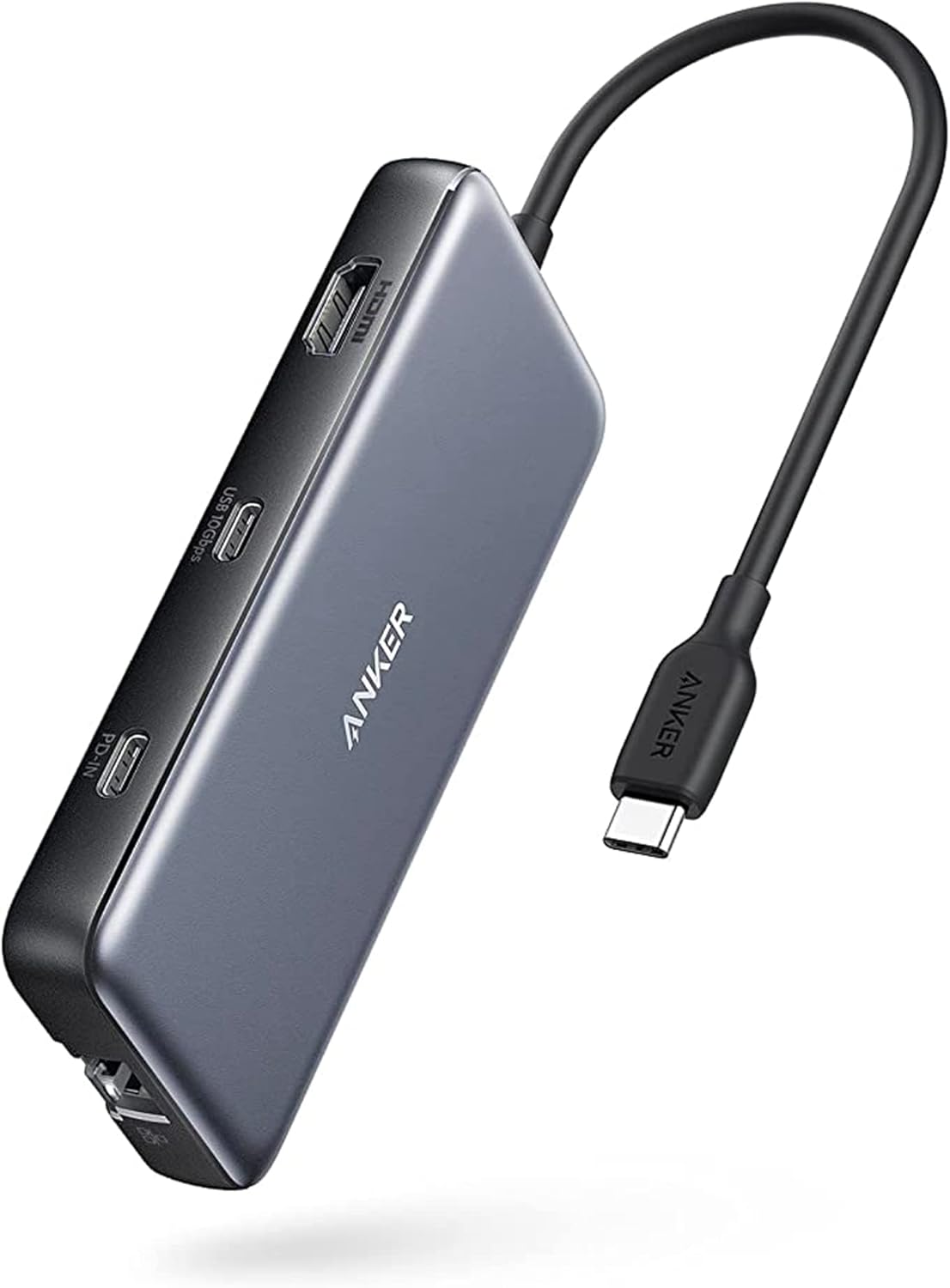
I grabbed this one off Amazon for $36 on a Tuesday. It showed up Thursday. First impression — its heavier than I expected. Like, there’s actual metal in this thing, not that hollow plastic crap from the cheap ones.
Eight ports: two USB-C, two USB-A, HDMI, ethernet, SD and microSD readers. All running through a single USB-C cable. The HDMI does 4K at 60Hz which matters if you’re running an external monitor — my old hub could only do 30Hz and the mouse lag was driving me insane.
Here’s what I actually care about though. I’ve had this thing plugged in for three weeks straight at my desk. External monitor, keyboard, mouse, ethernet, and charging my MacBook Pro through it. Not a single disconnect. Not one. My old Mokin hub would drop connection maybe twice a day.
It does get warm. Not hot, but warm. Like, you’d notice if you touched it. But according to some dude on YouTube who did a thermal camera teardown (Chase Reeves We think?), that’s actually normal for aluminum hubs — they’re designed to dissapate heat through the body. The ones that stay cool are usually the plastic ones that are cooking internally.
85W passthrough charging is enough for a 14-inch MacBook Pro. If you’ve got a 16-inch you might want the Plugable instead.
Best for: Basically everyone. Remote workers, students, anyone with a MacBook and an external monitor.
Skip if: You need more than 85W charging or dual monitor support.
The Plugable 9-in-1 — For the Power Users
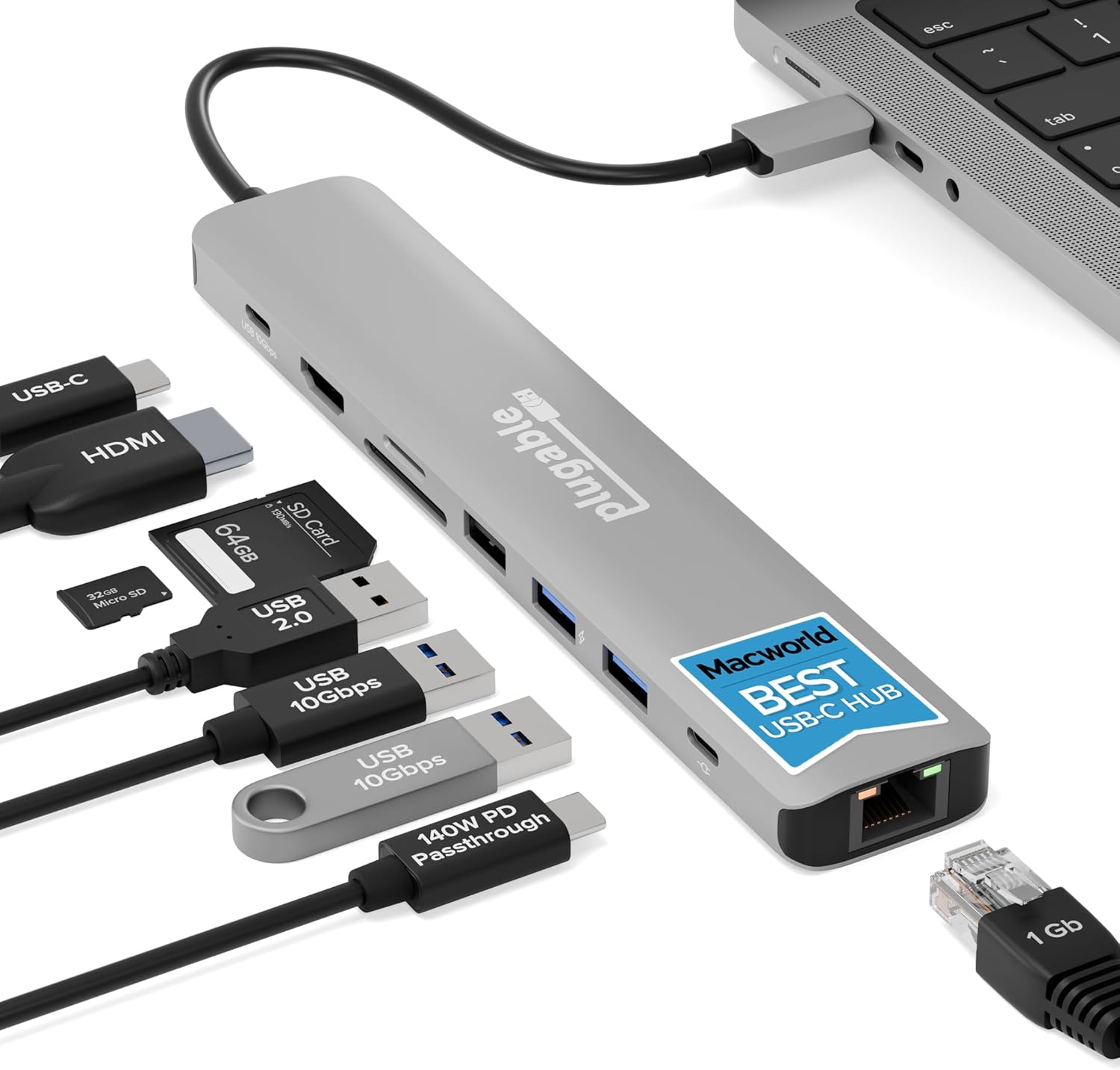
Macworld named this their top pick and after using it for a week I get why. Its essentially the Anker 555 with one extra USB-A port, faster SD card readers, and — this is the big one — 125W passthrough charging. That’s enough for even the beefiest 16-inch MacBook Pro under full load.
The build quality is comparable to the Anker. Same aluminum body, roughly the same size. Slightly longer cable which I actually prefer because it gives you more flexibility on desk placement.
We tested file transfer speeds with a Samsung T7 SSD and got consistent 10Gbps on both the USB-C and USB-A ports. The SD card readers are UHS-II which matters if you shoot RAW photos — my Sony A7III cards transferred noticeably faster on this than on the Anker’s UHS-I readers.
One thing that bugged me: the ethernet port sits right next to the HDMI port and with thick cables plugged into both, it’s a tight squeeze. Not a dealbreaker but kind of annoying when you’re setting up your desk.
At $50 its only about $15 more than the Anker, and for photographers or anyone with a 16-inch MacBook, that extra money is worth it.
Best for: Photographers, video editors, 16-inch MacBook Pro owners, anyone who needs maximum charging power.
Skip if: You don’t need the extra port or faster SD readers — save $15 and get the Anker.
The Satechi Pro Hub Max — The Pretty One
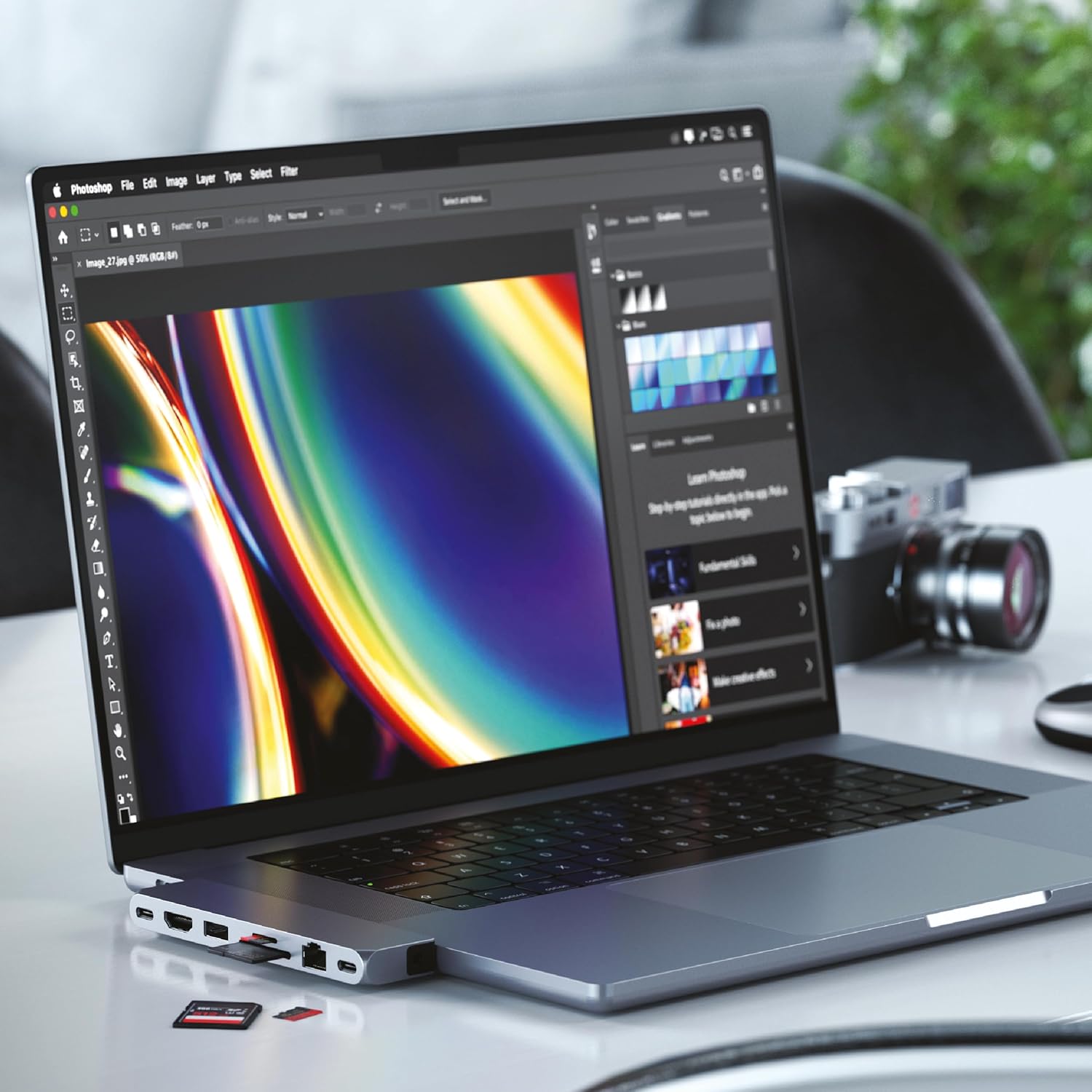
OK I’ll admit it. We bought this partly because it looks incredible. It clips directly onto your MacBook’s USB-C ports — no dangling cable — and matches the Space Gray finish perfectly. If you care about desk aesthetics (and honestly, who doesn’t at least a little), this thing is beautiful.
But its $100. And here’s the thing — the ports are basically the same as the Anker. USB4 instead of regular USB-C which sounds impressive until you realize most peripherals don’t saturate USB 3.2 speeds anyway. You also get an audio jack which… I mean, my MacBook already has one? Thanks I guess.
Where it actually shines is the direct-attach design. No cable means no cable management, no hub sliding around your desk, no extra clutter. We used it for a week at cofee shops and it was genuinely nice not having another thing to wrangle. But at my desk at home, the cable-based hubs are more practical because I can hide them behind my monitor.
The dual USB4 connection means it draws power from two ports simultaneously, which theoretically gives better bandwidth allocation. In practice, I could not tell the difference during normal use. Maybe if you’re running dual 4K monitors and transferring files simultaneously you’d notice.
Best for: Minimalists, people who work from coffee shops, anyone who values aesthetics over value.
Skip if: You work at a desk mostly. The cable-based hubs are more versatile for $60 less.
Quick Comparison
| Anker 555 | Plugable 9-in-1 | Satechi Pro Hub Max | |
|---|---|---|---|
| Price | ~$36 | ~$50 | ~$100 |
| Ports | 8 | 9 | 7 |
| Charging | 85W | 125W | N/A (uses both ports) |
| HDMI | 4K 60Hz | 4K 60Hz | 4K 60Hz |
| Ethernet | Yes | Yes | Yes |
| SD Reader | UHS-I | UHS-II | UHS-I |
| Design | Cable | Cable | Direct-attach |
So Which One?
For 90% of people: Anker 555. Its $36, it works, it doesn’t overheat, and it has every port you’ll need. I’ve been using it daily for three weeks and have zero complaints.
If you shoot photos or video, or you’ve got a 16-inch MacBook Pro: Plugable 9-in-1. The faster SD readers and higher charging wattage are worth the extra $15.
If aesthetics matter more than value and you mostly work mobile: Satechi Pro Hub Max. Its genuinely beautiful and the cableless design is nice. But you’re paying a premium for it.
And please, for the love of god, stop buying those $12 no-name hubs on Amazon. We know the reviews look good — half of them are fake. Ask me how We know. My melted HDMI port knows.