Unpopular opinion: you don’t need to spend $300 on a monitor arm.
I know. The entire internet — every YouTuber, every Wirecutter article, every r/battlestations commenter — will tell you the Ergotron LX is the only monitor arm worth buying. And look, it’s a great product. I own one. But recommending a $300 arm to someone who just wants their two monitors off the desk? That’s insane. It’s like telling someone who needs a commuter car to buy a BMW.
The VIVO STAND-V002 costs $35. Thirty-five dollars. And for 80% of people with a dual monitor setup, it does everything you actually need.
I bought four dual monitor arms over the past two months. Tested each one on my home office desk with two 27-inch Dell monitors. Here’s the rapid-fire breakdown.
The VIVO STAND-V002 — $35 and honestly kinda perfect for most people
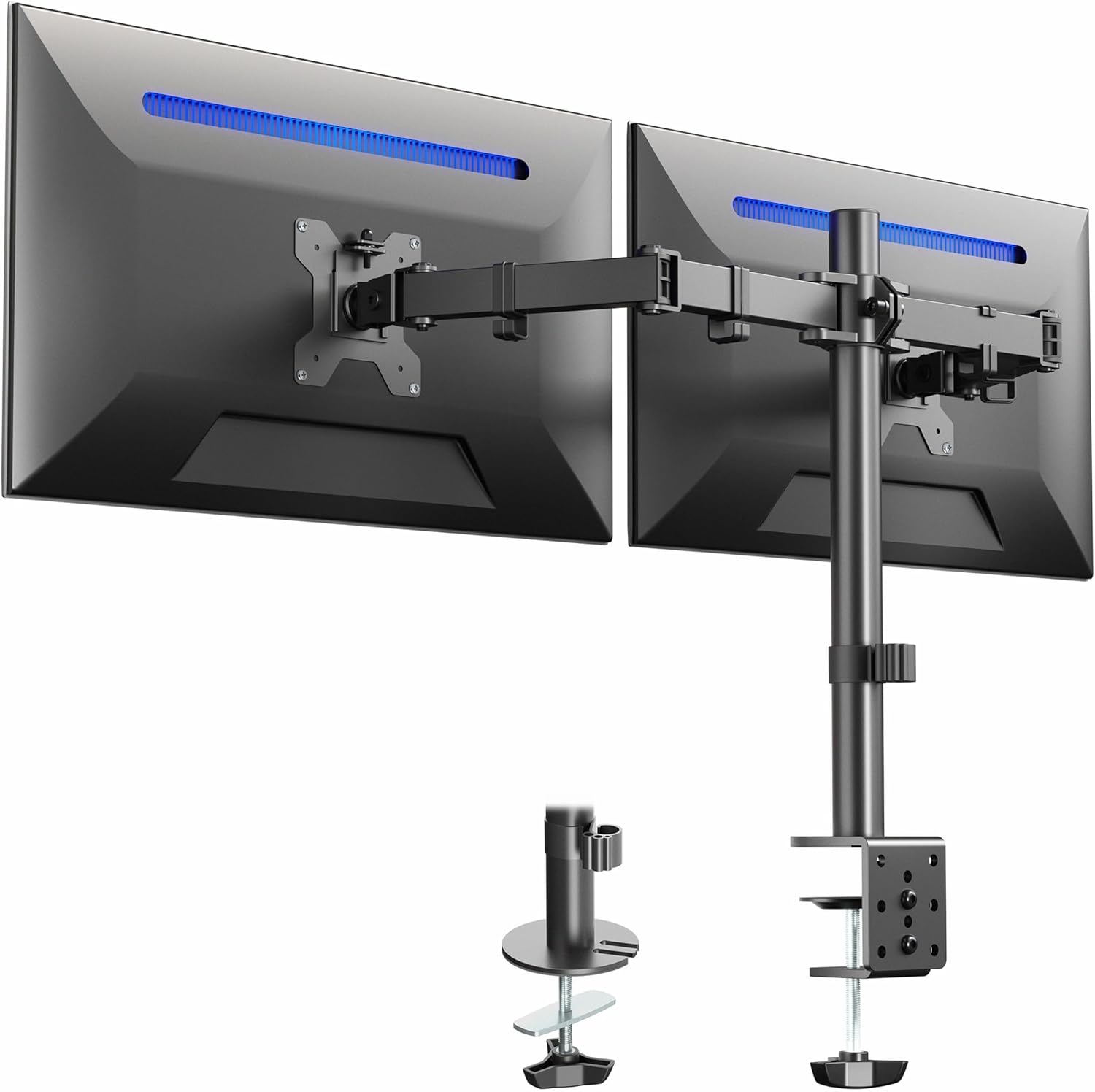
This thing has over 60,000 ratings on Amazon. 4.6 stars. I was skeptical because cheap monitor arms have a reputation for being wobbly nightmares. But no — this one is solid steel, holds up to 22 lbs per arm, and clamps to your desk in about 10 minutes.
I set it up on a Sunday afternoon while watching football. The instructions are basic but you dont really need them. C-clamp on the desk edge, pole goes in, arms slide on, monitors attach. Done.
The adjustment isn’t gas-spring though. That’s the main tradeoff. You loosen a hex bolt, slide the arm up or down the pole, tighten it back. So if you’re someone who repositions their monitors throughout the day — standing desk user, maybe — this gets annoying fast. But if you set it once and forget it? Perfect.
I watched a review from Optimum Tech on YouTube where he pointed out that most people adjust their monitor arm exactly once. Set it up, never touch it again. If that’s you, spending $300 on butter-smooth gas springs is literally paying for a feature you’ll use one time.
One complaint: the arms bounce slightly when I type hard on my mechanical keyboard. It’s subtle — my wife didn’t notice until I pointed it out — but if you’re sensitive to screen wobble, it could bug you. A YouTuber named RandomFrankP mentioned the same thing in his desk setup video. It’s a $35 arm. Physics gonna physics.
The Ergotron LX Dual Side-by-Side — $300 of buttery smooth overkill
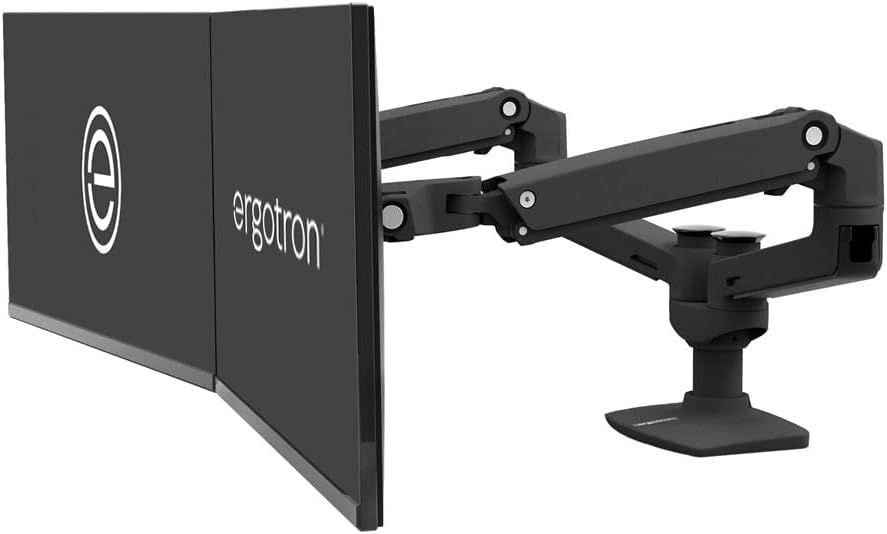
Okay I need to be fair here. The Ergotron is objectively a better product. The build quality is in a completley different league. Every joint moves like it’s been engineered by NASA. The cable management is integrated and actually works. And it holds each monitor with this satisfying firmness where nothing wobbles, ever, under any circumstance.
Wirecutter has recommended it for years. PCWorld just named the LX Pro their top pick in January. Tom’s Guide loves it too. They’re all right — if money isn’t a factor, this is the arm you want.
But $300. For a desk clamp that holds monitors.
I got mine during a Prime Day sale for $240 which made it slightly less painful. At full price I genuinely cannot recommend this to someone who just wants a clean desk. The VIVO does that for $35.
Where the Ergotron earns its price: standing desk users. If you go between sitting and standing, you NEED the smooth gas-spring adjustment. Loosening hex bolts twice a day on the VIVO would drive you crazy within a week. The Ergotron just… moves. Pull up, pull down, push back. One finger. It stays where you put it. Actually wait — it drifts slightly with heavier monitors, like 1-2mm over a few hours. Not a big deal but I noticed it with my 27-inch Dells which are about 15 lbs each.
The other thing — and this surprised me — the Ergotron is HEAVY. The mount itself weighs like 20 lbs. My IKEA Bekant desk flexed a little when I first clamped it on. Had to add a piece of scrap wood underneath to distribute the pressure. Something to think about if you have a thinner desk.
Mount-It! MI-1772 — the $55 middle ground
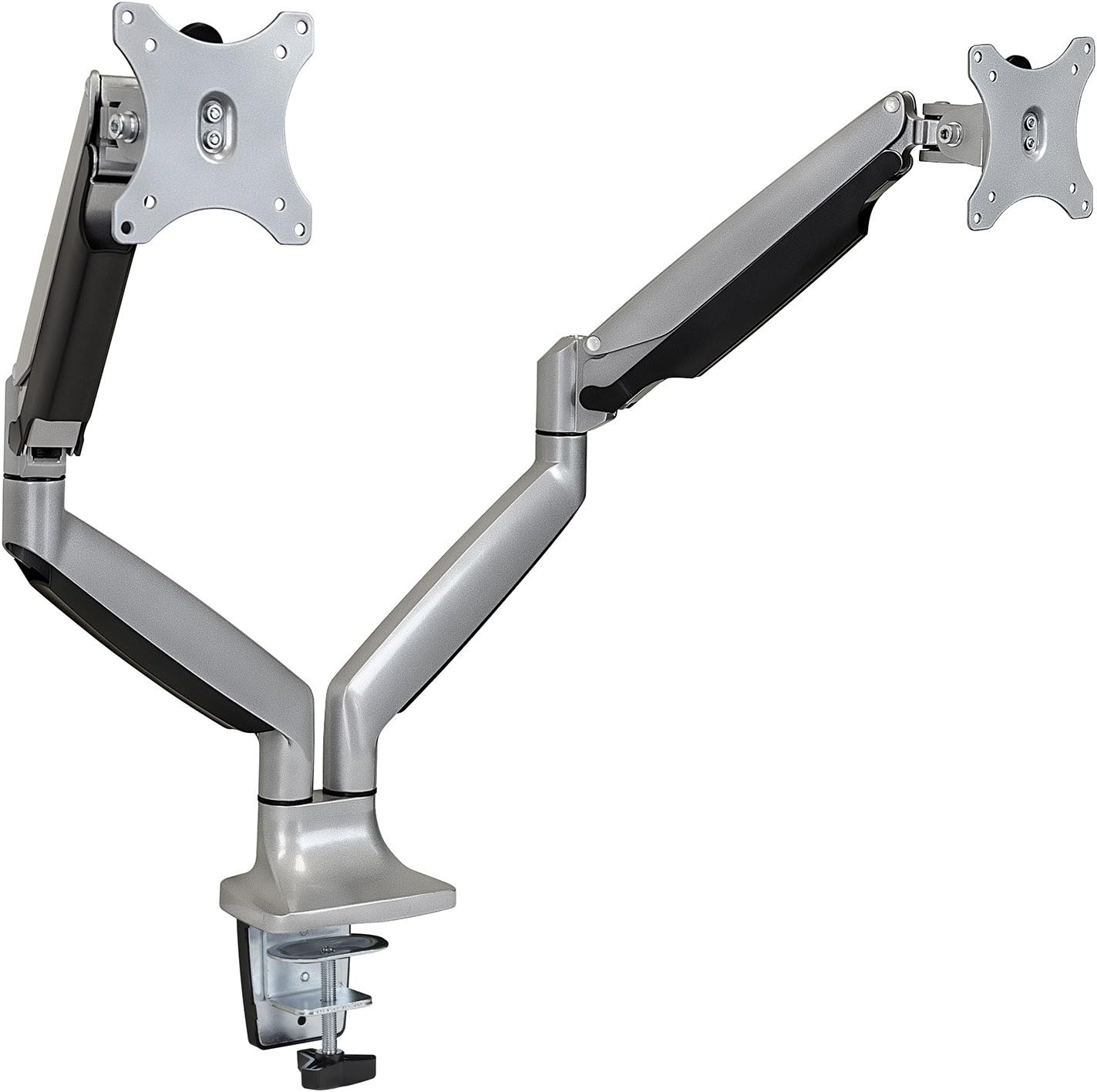
This was the arm I expected to recommend. Gas springs at $55? Seemed like the obvious sweet spot. And a bunch of YouTube reviewers I follow — HardwareCanucks did a video, Andrew from TechLead mentioned it — have good things to say about it.
The gas springs work. The arm moves smoothly enough. Each arm holds up to 32 inches and the VESA mounting is standard 75/100. Build quality is mostly metal with some plastic covers over the joints.
But here’s what bugged me. The tension adjustment on the gas springs is finicky. You need an Allen key to dial in the right tension for your monitor weight, and the sweet spot is weirdly narrow. Too loose and the monitor slowly droops. Too tight and you need two hands to move it. I spent probably 45 minutes getting both arms balanced right.
And then my left monitor started drooping after about 3 weeks anyway.
I checked the Amazon reviews and sure enough — a ton of 3-star reviews mention the same thing. “Gas spring lost tension after a month.” One reviewer said they tightened it, it was fine for two weeks, then drooped again. Another person on the r/homeoffice subreddit posted basically the same experience.
It’s not terrible. For $55 with gas springs you’re getting a lot. But the VIVO at $35 without gas springs has been rock solid for two months with zero adjustment needed. Sometimes simple is better.
HUANUO Dual Spring Arm — Amazon’s #1 Best Seller and it’s… fine
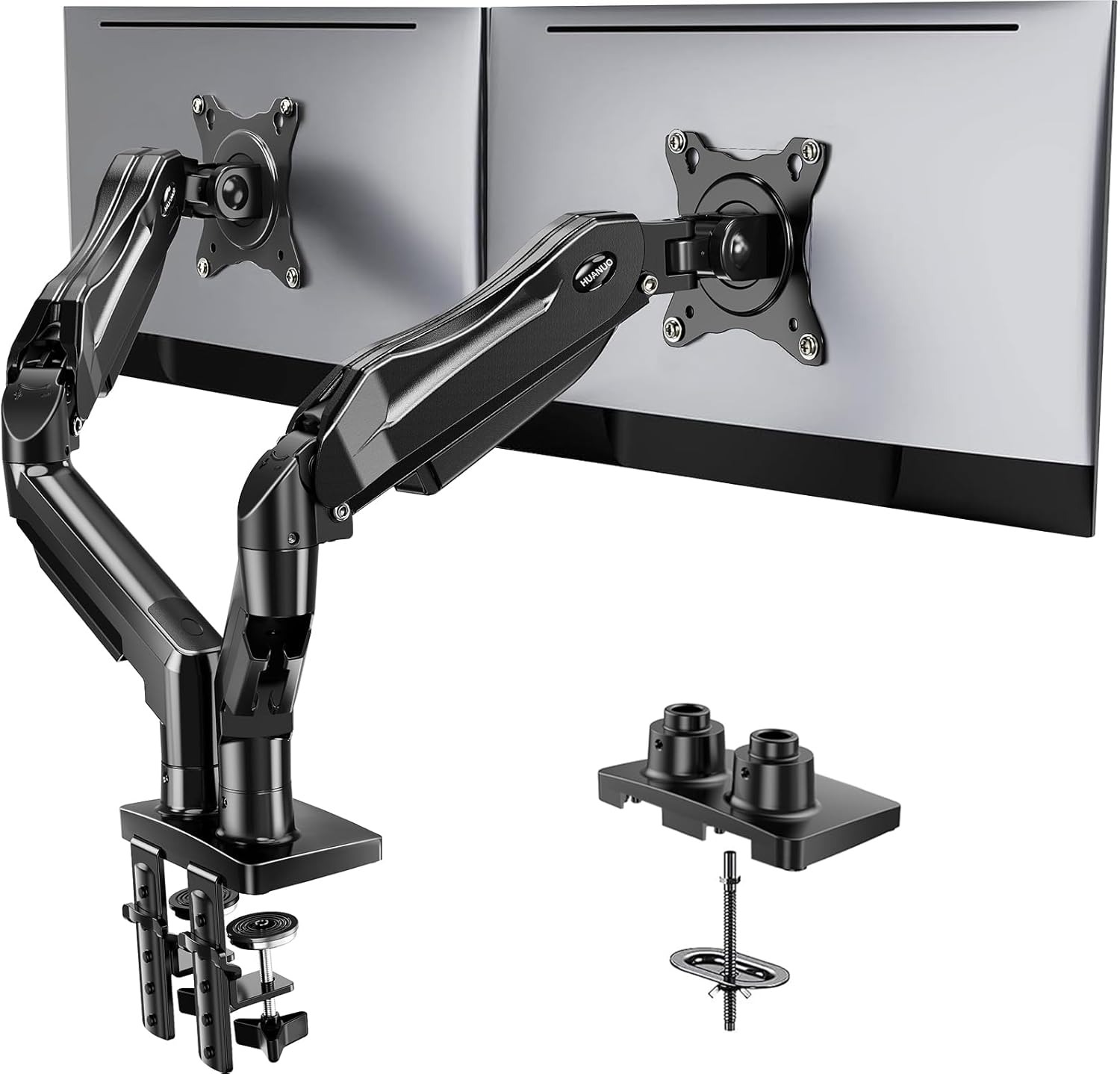
The Huanuo is the best-selling dual monitor arm on Amazon. Like 20,000+ ratings, 4.6 stars, that orange “#1 Best Seller” badge. At around $40 it’s barely more than the VIVO.
I wanted to like it. The unboxing was nice — everything labeled, instructions actually readable. Cable management clips built into the arms. Two mounting options in the box (C-clamp and grommet). Setup was maybe 15 minutes.
But the arms are mostly plastic where it counts. The joint covers are plastic, the cable clips are plastic, and the VESA plate feels cheap compared to the VIVO’s all-steel construction. A reviewer on the BTOD blog noted the same thing — nice-looking but the materials feel thin.
The spring mechanism works OK for lighter monitors. My 27-inch Dells at ~15 lbs each were right at the edge of what felt stable. It held them fine but I wouldn’t trust it with anything heavier. The product listing says 14.3 lbs per arm max which means my monitors were technically over spec. Oops.
If you have lighter 24-inch monitors, the Huanuo is a solid budget pick. But for 27-inch or larger? Go VIVO.
So what should you actually buy?
Here’s how I’d break it down:
Just want monitors off the desk, set it and forget it → VIVO STAND-V002 ($35). No contest.
Use a standing desk and reposition constantly → Ergotron LX Dual ($300). Worth it for this specific use case.
Want gas springs on a budget, lighter monitors → Mount-It! MI-1772 ($55). Just check the tension monthly.
Two 24-inch monitors, want spring adjustment → HUANUO Dual ($40). Good for lighter setups.
One more thing — and this tripped me up initially — make sure your monitors have VESA mounting holes on the back. Most do these days (75x75mm or 100x100mm pattern) but some budget monitors skip it. Check before you buy any arm. I learned this the hard way like 4 years ago when I bought a single arm for a monitor that didn’t have VESA holes. Had to buy a seperate adapter plate for $20. Annoying.
Also worth mentioning: Wirecutter actually recommends buying two single monitor arms instead of one dual arm. Their argument is that you get more independent positioning. And they’re not wrong technically. But two singles means two clamp points on your desk, double the desk damage, and usually costs more total. For most home office setups, a dual arm on one pole is cleaner and simpler.
The VIVO has been on my desk for two months now and I have zero desire to change it. Sometimes the boring answer is the right one.