We may earn a commission from purchases made through links in this article, at no extra cost to you.
You’re starting college and everyone says you need an iPad. But Apple sells five different models at wildly different prices. The tech forums are useless—half say “just get the cheapest one” while the other half insist you need a $1,500 iPad Pro for… taking notes in Psychology 101?
We analyzed student forums, Apple communities, and real-world feedback to find which iPad actually makes sense for college. Here’s the honest truth: most students are spending way more than they need to.
Quick Verdict: Which iPad Should You Buy?
| Student Type | Our Pick | Price | Why |
|---|---|---|---|
| Most Students | iPad Air M3 11" | $599 | Best balance of power, features, and longevity |
| Budget-Conscious | iPad A16 11" | $349 | 90% of the experience at 60% of the price |
| Creative/STEM Majors | iPad Pro M4 13" | $1,099+ | Professional tools for demanding coursework |
| Maximum Portability | iPad Mini | $499 | Fits in a lab coat pocket (popular with med students) |
Bottom line: The iPad Air M3 is the sweet spot for most college students. Only consider the Pro if you’re in a creative or technical major that genuinely demands it.
#1: iPad Air M3 11-inch — Best Overall for College Students
$599 (128GB) | $549 with education discount | Check Price on Amazon
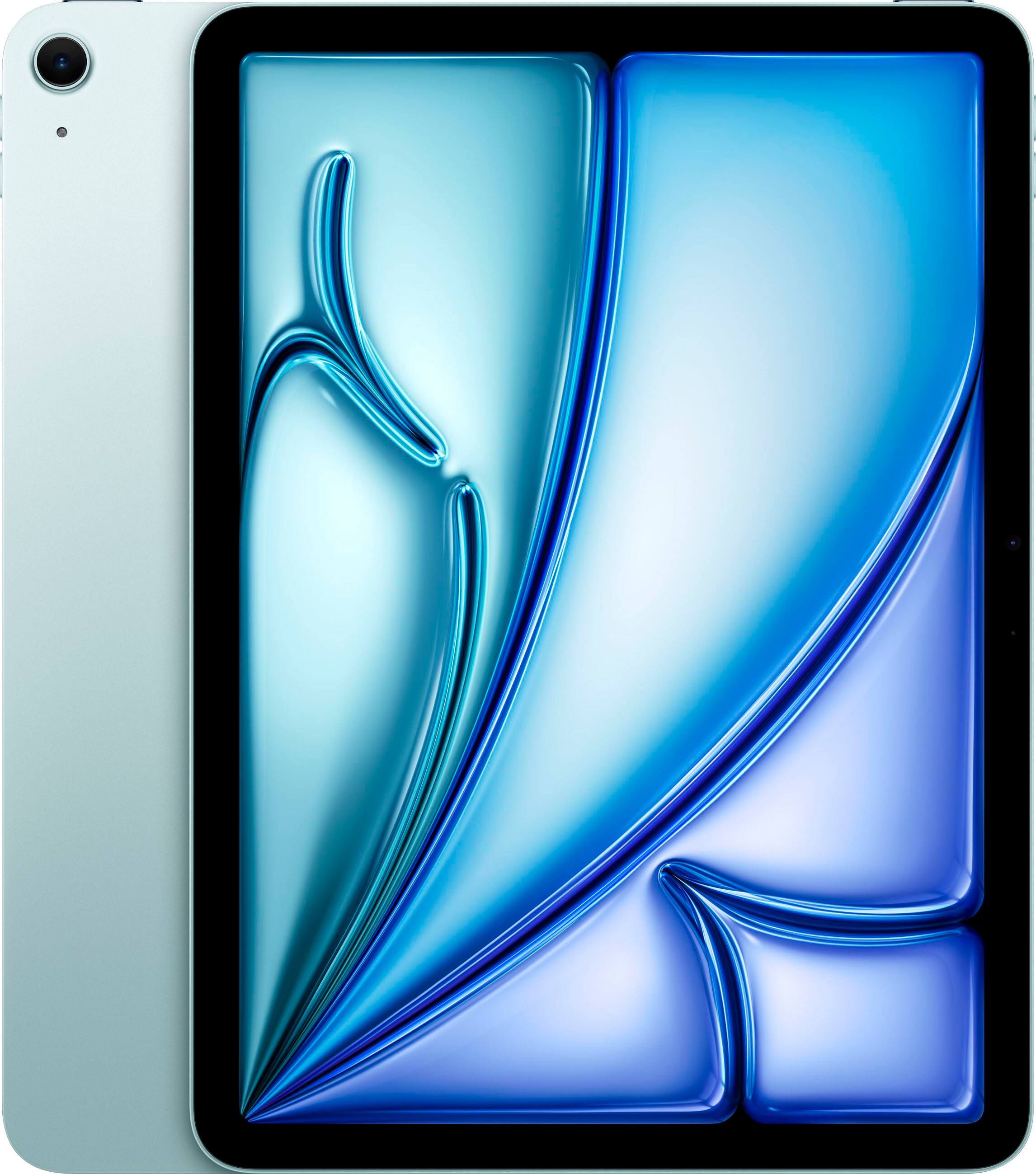
The iPad Air M3 is “indisputably the best iPad for college-goers” according to multiple expert reviews—and we agree. It delivers iPad Pro-level performance at a price that won’t require a second job.
Why It’s Perfect for College
M3 chip = future-proof performance. The same chip in the MacBook Air handles everything from intensive note-taking sessions to video editing. With Apple’s track record, expect 5-7 years of software support. That’s your entire college career and then some.
Apple Intelligence built-in. The M3 chip enables Apple’s AI features, including writing assistance, smart summaries, and enhanced Siri—useful for research papers and study sessions.
Stunning Liquid Retina display. At 2360 x 1640 resolution, text is crisp for hours of reading. The anti-reflective coating helps in bright lecture halls.
All-day battery life. Apple claims 10 hours, and real-world student usage confirms you can get through a full day of classes without charging.
Apple Pencil Pro support. The latest Pencil adds squeeze gestures and barrel roll for more natural handwriting. Combined with apps like Goodnotes or Notability, it’s genuinely better than paper for many students.
The Honest Downsides
60Hz display. Despite its price, the Air lacks the 120Hz ProMotion display of the iPad Pro. For note-taking with Apple Pencil, some users notice slightly less smooth ink tracking compared to Pro models.
No Face ID. You get Touch ID in the power button, which works fine but feels dated compared to Face ID.
Base storage is tight. 128GB fills up faster than you’d expect with apps, downloads, and offline content. Consider 256GB ($699) if you don’t want to constantly manage storage.
Still expensive with accessories. Add Apple Pencil Pro ($129) and Magic Keyboard Folio ($299), and you’re looking at $1,000+ for the full setup.
Specs at a Glance
| Spec | Details |
|---|---|
| Chip | Apple M3 (8-core CPU, 9-core GPU) |
| Display | 11" Liquid Retina, 2360x1640, 500 nits |
| Storage | 128GB / 256GB / 512GB / 1TB |
| Battery | Up to 10 hours |
| Weight | 1.02 lbs (462g) |
| Pencil Support | Apple Pencil Pro, Apple Pencil (USB-C) |
| Keyboard | Magic Keyboard, Smart Keyboard Folio |
Best For:
- ✓ Most college majors (humanities, business, sciences)
- ✓ Students who want one device for notes, research, and entertainment
- ✓ Those planning to keep their iPad 4+ years
- ✓ Students using Apple Intelligence features
Skip If:
- ✗ You’re on a tight budget (consider the base iPad)
- ✗ You need professional creative tools (consider iPad Pro)
- ✗ You prefer larger screens (consider 13" Air or Pro)
#2: iPad A16 11-inch — Best Budget Option
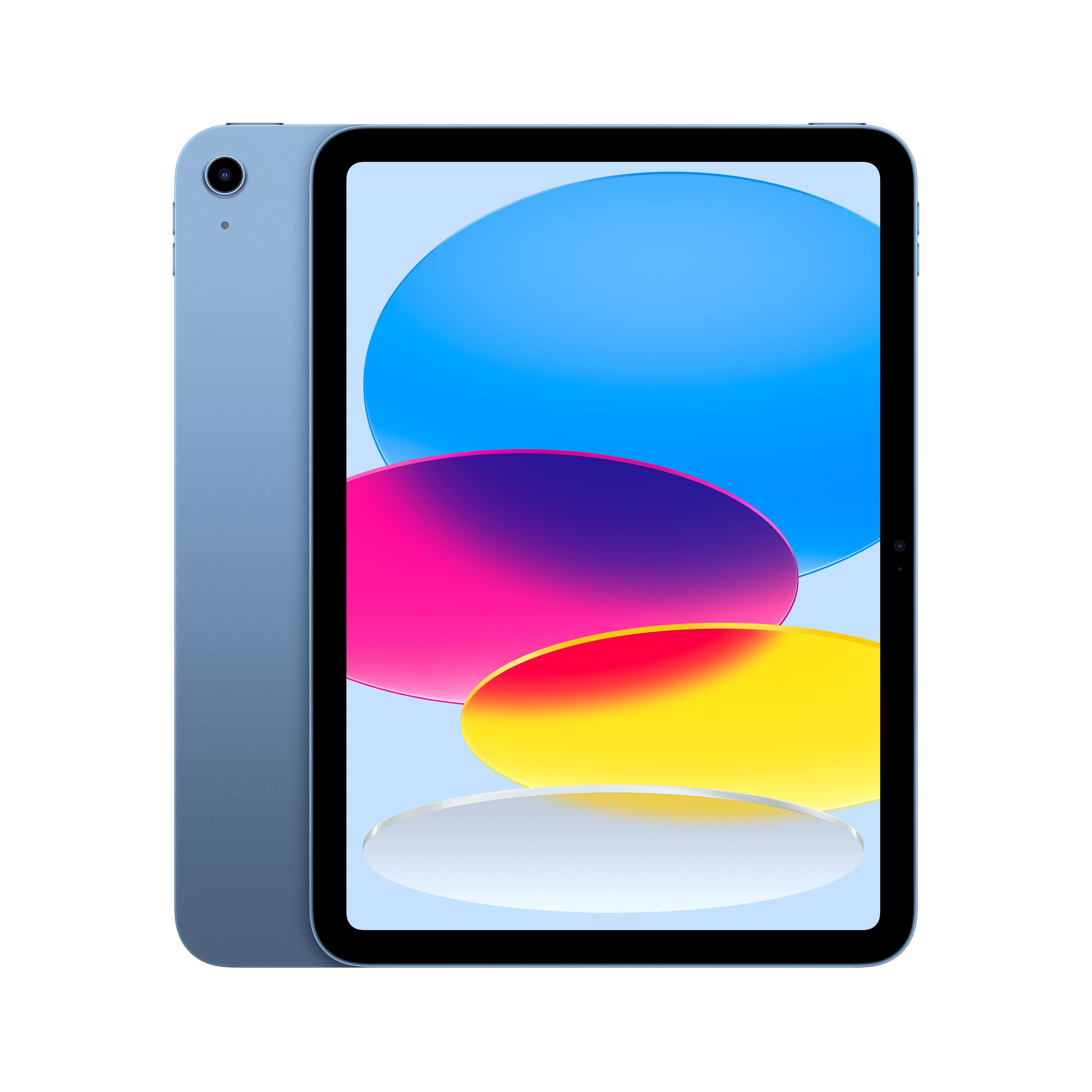
$349 (128GB) | $299 with education discount | Check Price on Amazon
Here’s a secret the tech blogs don’t emphasize enough: most students don’t need more than the base iPad. Forum after forum confirms it—“the base model iPad is an absolute steal, especially with the education discount.”
Why Budget Doesn’t Mean Compromise
A16 chip handles everything students need. This is the same processor from the iPhone 14 Pro. Note-taking apps, research, video streaming, even light video editing—all smooth.
Same 11-inch Liquid Retina display. You get the same screen size and resolution as the Air. Colors are accurate, text is sharp, and brightness is adequate for most environments.
Apple Pencil support. Works with Apple Pencil (USB-C) for handwritten notes. Yes, you miss the Pro features of the Pencil Pro, but for note-taking? It’s identical.
Magic Keyboard Folio compatible. The two-piece design with detachable keyboard gives you laptop-like productivity when you need it.
Four gorgeous colors. Blue, Pink, Yellow, and Silver—more personality than the muted tones of the Air and Pro.
The Honest Downsides
Non-laminated display. There’s a visible air gap between the glass and the screen. When writing with Apple Pencil, the tip doesn’t feel like it’s touching the “ink.” Some students find this distracting; others never notice.
No Apple Intelligence. The A16 chip doesn’t support Apple’s AI features. If you want writing assistance and smart summaries, you need the Air or Pro.
No Stage Manager. Multitasking is more limited compared to M-chip iPads. You can still split-screen, but power users may feel constrained.
Touch ID in awkward position. The sensor is on the top edge, which can be fumbled when the iPad is in a keyboard case.
Specs at a Glance
| Spec | Details |
|---|---|
| Chip | Apple A16 (5-core CPU, 4-core GPU) |
| Display | 11" Liquid Retina, 2360x1640, 500 nits |
| Storage | 128GB / 256GB / 512GB |
| Battery | Up to 10 hours |
| Weight | 1.05 lbs (477g) |
| Pencil Support | Apple Pencil (USB-C) |
| Keyboard | Magic Keyboard Folio |
Best For:
- ✓ Students on a budget
- ✓ First-time iPad users
- ✓ Basic note-taking, research, and media consumption
- ✓ Students who already have a laptop for heavy work
Skip If:
- ✗ You want Apple Intelligence features
- ✗ Precise Apple Pencil work is important to you
- ✗ You plan to use your iPad for 5+ years (M3 chip ages better)
#3: iPad Pro M4 13-inch — Best for Creative & STEM Students
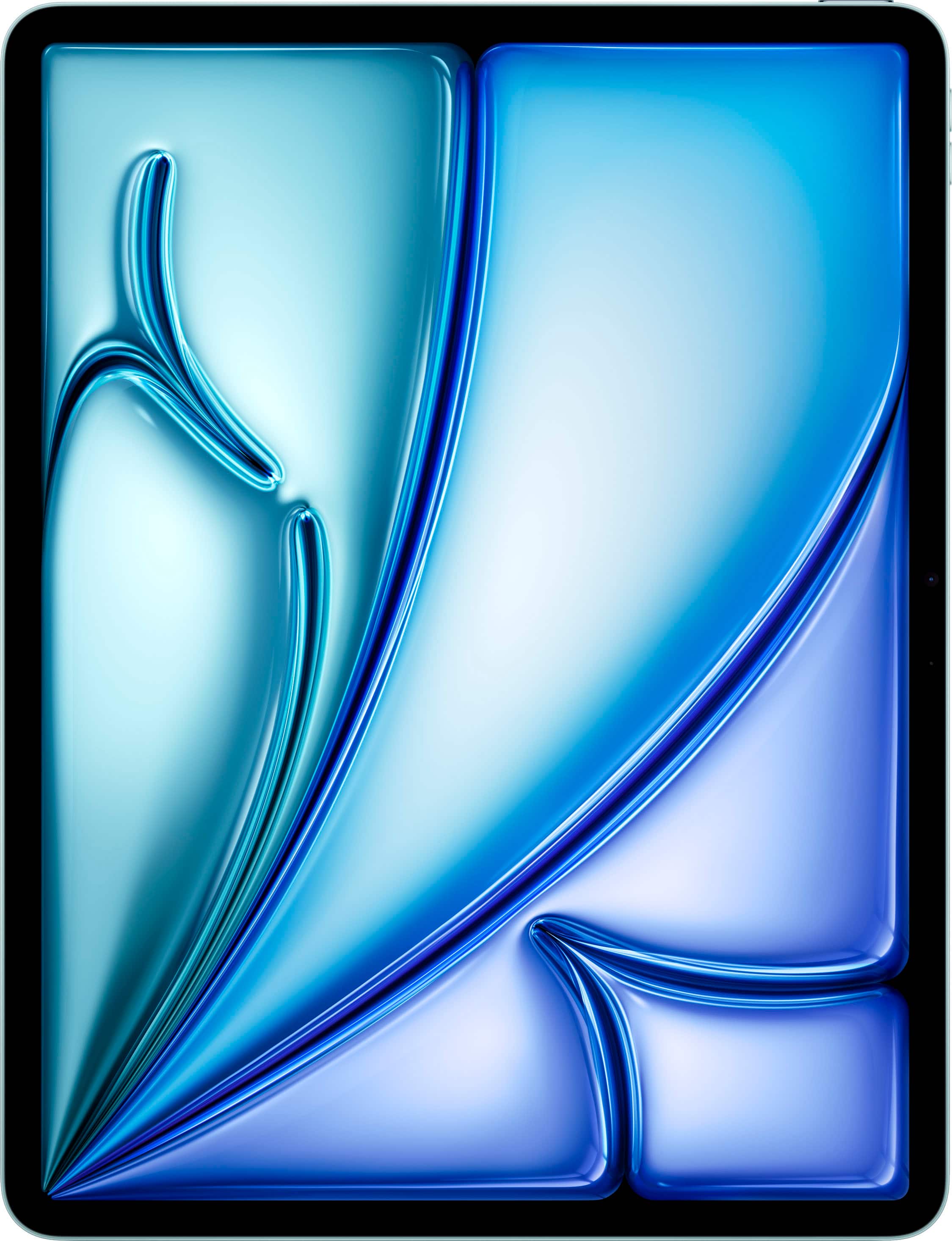
$1,099 (256GB) | $999 with education discount | Check Price on Amazon
Let’s be real: the iPad Pro is overkill for most students. You don’t need M4 power for taking notes in lecture. But for students in creative or technical fields, the Pro isn’t a luxury—it’s a tool that can genuinely impact your work.
When the Pro Actually Makes Sense
ProMotion 120Hz display transforms note-taking. The difference is subtle but significant—handwriting feels more responsive, scrolling is buttery smooth, and eye strain decreases during long study sessions.
Ultra Retina XDR OLED. This is the best display Apple has ever put on an iPad. For design, photography, and video students, accurate colors and HDR support matter.
M4 chip for professional software. Running Procreate with 100+ layers, editing 4K video in DaVinci Resolve, or handling complex 3D models in uMake—the Pro handles workloads that would choke lesser tablets.
13-inch screen for real work. The larger canvas makes a genuine difference for detailed design work, architecture drawings, and video editing timelines.
Thunderbolt connectivity. Connect external displays, high-speed storage, and professional audio interfaces. The Pro can genuinely serve as your primary computer.
The Honest Downsides
Absurdly expensive fully loaded. Start at $1,099, add Apple Pencil Pro ($129), add Magic Keyboard ($349), and you’re at $1,577 before tax. Add nano-texture glass and more storage? Over $2,000.
Battery life sacrificed for thinness. Apple made the Pro thinner than ever (5.1mm), but battery life hasn’t improved. YouTuber MKBHD noted he’d prefer the same thickness with longer battery life.
iPadOS is still the bottleneck. As MKBHD famously said: “It kind of doesn’t matter how powerful they make the iPad; it’s still an iPad.” The software limits what you can do, regardless of the hardware.
Nano-texture glass concerns. The anti-glare option costs $100 extra and is only available with 1TB+ storage. MKBHD warned it “comes at the expense of a little bit of sharpness and contrast.”
Specs at a Glance
| Spec | Details |
|---|---|
| Chip | Apple M4 (9-core CPU, 10-core GPU) |
| Display | 13" Ultra Retina XDR OLED, 2752x2064, 120Hz |
| Storage | 256GB / 512GB / 1TB / 2TB |
| Battery | Up to 10 hours |
| Weight | 1.28 lbs (579g) |
| Pencil Support | Apple Pencil Pro |
| Keyboard | Magic Keyboard |
Best For:
- ✓ Graphic design and illustration students
- ✓ Film/video production majors
- ✓ Architecture students
- ✓ Anyone whose coursework demands professional creative tools
Skip If:
- ✗ You’re a general studies student (you’re paying for power you won’t use)
- ✗ Budget is a concern
- ✗ You mainly need note-taking and research capabilities
Head-to-Head Comparison
| Feature | iPad A16 | iPad Air M3 | iPad Pro M4 |
|---|---|---|---|
| Price | $349 | $599 | $1,099+ |
| Display | 11" Liquid Retina | 11" Liquid Retina | 13" Ultra Retina XDR |
| Refresh Rate | 60Hz | 60Hz | 120Hz ProMotion |
| Chip | A16 | M3 | M4 |
| Apple Intelligence | ✗ No | ✓ Yes | ✓ Yes |
| Apple Pencil | USB-C only | Pro + USB-C | Pro |
| Face ID | ✗ No (Touch ID) | ✗ No (Touch ID) | ✓ Yes |
| Laminated Display | ✗ No | ✓ Yes | ✓ Yes |
| Stage Manager | ✗ No | ✓ Yes | ✓ Yes |
| Speakers | 2 speakers | 2 speakers | 4 speakers |
| Best For | Budget students | Most students | Creative majors |
Don’t Forget the Accessories
Your iPad is only as useful as its accessories. Budget accordingly:
Apple Pencil
- Apple Pencil Pro ($129) — For iPad Air M3 and Pro. Best for serious note-takers.
- Apple Pencil (USB-C) ($79) — For base iPad. Gets the job done for basic notes.
Keyboards
- Magic Keyboard Folio ($249) — For base iPad. Two-piece design with function row.
- Magic Keyboard ($299-$349) — For Air and Pro. Built-in trackpad, floating design.
- Smart Keyboard Folio ($179-$199) — Lighter, no trackpad, more affordable.
Education Pricing
Apple offers student discounts through Apple Education Store:
- Save $50-$100 on iPads
- Save on accessories
- Free AirPods during Back to School promotions (usually July-September)
Verify your student status through UNiDAYS or your .edu email.
Our Recommendation
For 80% of college students: Get the iPad Air M3 11-inch with 256GB storage. Add Apple Pencil Pro and a keyboard case. Total investment: ~$1,000 with education pricing. This setup will last your entire college career and beyond.
On a tight budget: The iPad A16 with Apple Pencil (USB-C) and Magic Keyboard Folio is a fantastic value at ~$600 total. You’ll miss some features, but for note-taking, research, and entertainment, it’s more than capable.
For creative and technical majors: The iPad Pro M4 13-inch is a legitimate professional tool. If your coursework genuinely demands it—not just “would be nice”—it’s worth the investment.
The Bottom Line
Here’s what student forums consistently confirm: most people overthink this decision. Unless you’re in a creative major requiring professional software, the base iPad or iPad Air will serve you well through all four years of college.
The iPad Pro is an amazing device, but asking if you need one for college is like asking if you need a sports car for your commute. Sure, it’s faster—but you’ll get to class just fine in a Honda Civic.
Start with what fits your budget. You can always upgrade later if your needs change. But you probably won’t need to.
Last updated: February 2026. Prices and availability subject to change. Education pricing available through Apple Education Store.