

Look, We know what you’re thinking — “just buy the cheapest 2TB drive and move on.” That’s what I thought too back in 2024 when I was editing wedding videos off a spinning hard drive like some kind of caveman. The timeline stuttering was so bad I legitimately thought DaVinci Resolve was broken.
So We spent the last few months rotating between three of the most popular external SSDs for video editing work: the Samsung T9, the Crucial X10 Pro, and the SanDisk Extreme Pro V2. All 2TB models. All claiming roughly 2,000 MB/s speeds. And yeah, one of them definately comes out on top.
The Quick Verdict
If you just want the answer: Samsung T9. It’s the most consistent performer under sustained writes, which is what actually matters when you’re dumping 200GB of footage off cards. The Crucial is a close second and usually cheaper. The SanDisk looks cool but has a thermal quirk that bugged me.
Check Samsung T9 pricing on Amazon
Why External SSD Speed Specs Are Basically Lies
Every single one of these drives says “up to 2,000 MB/s” on the box. And technically that’s true — for about the first 30 seconds of a large file transfer. After that, thermal throttling kicks in and your real-world speeds drop. Sometimes a lot.
I ran a simple test: copy a 150GB folder of ProRes 422 files from my internal NVMe to each drive, and time it. Did this three times per drive, letting each one cool down between runs.
| Drive | Advertised | Run 1 | Run 2 | Run 3 |
|---|---|---|---|---|
| Samsung T9 | 2,000 MB/s | 1,780 MB/s | 1,720 MB/s | 1,690 MB/s |
| Crucial X10 Pro | 2,100 MB/s | 1,850 MB/s | 1,610 MB/s | 1,540 MB/s |
| SanDisk Extreme Pro V2 | 2,000 MB/s | 1,790 MB/s | 1,450 MB/s | 1,380 MB/s |
See that? The Samsung barely drops. The SanDisk fell off a cliff by run 3. And this is with a fan blowing on them — without airflow, the SanDisk throttled even harder.
Samsung T9: The One I Actually Use
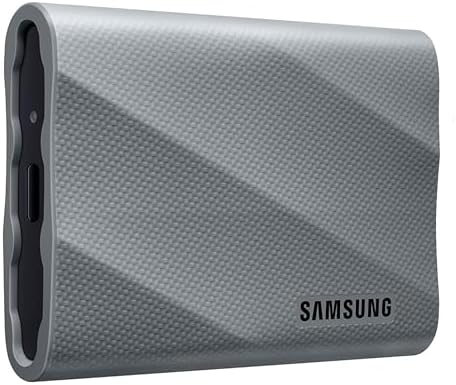
We bought my T9 last October from Amazon for like $155 — think the price bounces around depending on the week. First impression was honestly the weight. This thing is heavier than it looks. Not in a bad way, more like you can feel the build quality. The rubber bumper around the edges gives me confidence tossing it in my bag.
What We like:
- Sustained speeds stay consistent even during long transfers
- USB 3.2 Gen 2x2 means you actually get those speeds (if your port supports it)
- 3-meter drop rating. I’ve tested this accidentally twice. Still works.
- The texture on top looks kinda industrial but I dig it
What bugs me:
- It gets warm. Not hot, but noticeably warm during big transfers
- The included USB-C cable is short. Like frustratingly short
- No IP rating for dust/water — the SanDisk wins there
I’ve been editing 4K ProRes directly off this drive for about 4 months now and haven’t had a single stutter in Resolve or Premiere. That said, my Mac mini has a proper USB 3.2 Gen 2x2 port. If your machine only has Gen 2 (most laptops), you’re capped at ~1,000 MB/s anyway and the speed difference between these drives wont matter.
Crucial X10 Pro: Best Bang for Your Buck

The X10 Pro caught my attention because Tom’s Hardware had it on sale for $149 during Prime Day and the specs looked almost identical to the Samsung. Spoiler: they kind of are.
This drive is tiny. Like, absurdly small for 2TB. It’s about the size of a credit card, maybe slightly thicker. I keep mine in my wallet pocket sometimes which is probably not great for it but whatever, it fits.
The speeds are actually faster than the Samsung on paper — 2,100 MB/s read vs 2,000 — but in my sustained tests it dropped off more. Not a dealbreaker for editing though. When you’re scrubbing through a timeline, you’re doing random reads, not sustained sequential writes. And for random reads both drives felt identical.
One thing We noticed that reviews dont mention: the X10 Pro runs cooler than the Samsung. Like notably cooler. During a 100GB transfer the Samsung was uncomfortable to hold, the Crucial was just warm. If you’re editing in a hot room or your desk doesnt have great airflow, thats worth considering.
The verdict on this one: If you find it for under $160, buy it. Honestly for most video editors you won’t notice the difference between this and the Samsung. I just prefer the Samsung’s consistency under sustained loads.
SanDisk Extreme Pro V2: Great Drive, One Annoying Problem
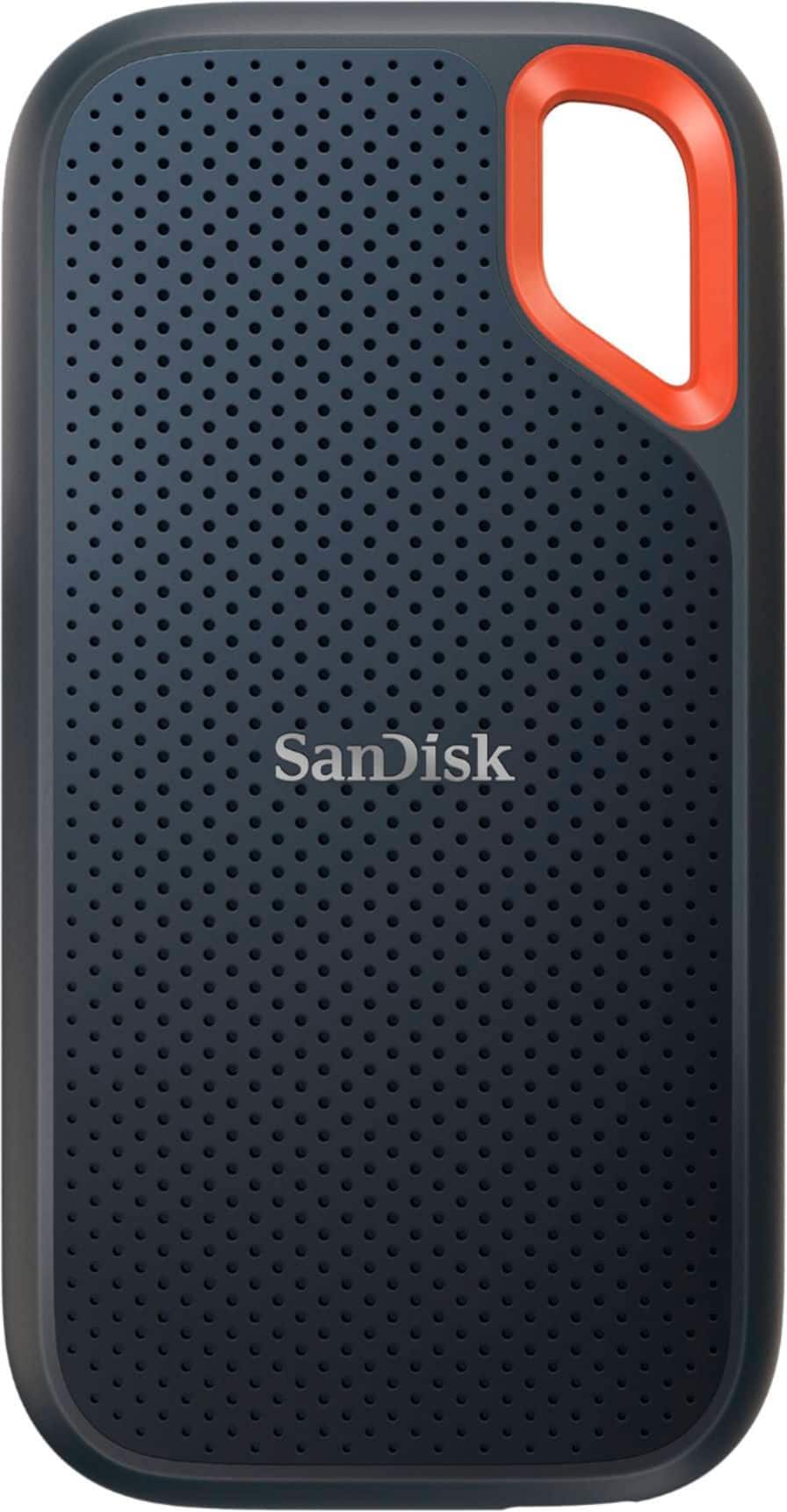
This was actually the first external SSD We bought for video editing, back in early 2024. And for a while I loved it. The design is genuinely cool — that orange carabiner loop, the rugged silicone shell, the IP65 rating. I clip it to my camera bag strap when I’m shooting on location and it feels bulletproof.
But here’s the thing nobody warned me about. After about 45 minutes of continuous use — like editing a long project directly off the drive — the SanDisk starts thermal throttling. Not catastrophically, but enough that We noticed dropped frames during playback of 4K footage. I thought my timeline was corrupted the first time it happened.
I did some digging on the DaVinci Resolve forums (shoutout to user ColorGradingGuy who saved me hours of troubleshooting) and apparently this is a known thing with the Extreme Pro V2. The aluminum core heats up and the controller dials back speeds to protect itself. Makes sense from an engineering standpoint, but it’s annoying when you’re in the middle of a client deadline.
For short burst work — dumping cards, quick edits, file transfers — its excellent. For marathon editing sessions? Get the Samsung or Crucial instead.
See SanDisk Extreme Pro V2 on Amazon
The USB Port Thing Nobody Talks About
Real talk for a second. Half the people buying these 2,000 MB/s drives are plugging them into USB 3.0 ports and getting like 400 MB/s. Before you spend $150+ on any of these, check what ports your computer actually has.
- USB 3.2 Gen 2x2 (20 Gbps): You’ll hit full speed. Found on newer Mac minis, some desktops, very few laptops
- USB 3.2 Gen 2 (10 Gbps): Capped around 1,000 MB/s. Still great for editing, but you’re leaving performance on the table
- USB 3.0/3.1 Gen 1 (5 Gbps): Capped around 450 MB/s. At this point just buy a cheaper SATA SSD
- Thunderbolt 3/4: Works but defaults to USB speeds unless the drive specifically supports TB
If you’ve got Gen 2 ports (most modern laptops), honestly the Crucial X9 Pro at around $100 is probably the smarter buy. It maxes out at 1,050 MB/s which is right at your port’s limit anyway.
My Actual Setup
For what it’s worth, here’s how We use these day to day:
- Samsung T9 (2TB): Main editing drive, lives on my desk plugged into the Mac mini
- Crucial X10 Pro (2TB): Backup/archive drive, gets swapped monthly
- SanDisk Extreme Pro (2TB): Field drive, goes in the camera bag for on-location dumps
Having the drives serve different purposes means none of them are getting hammered 24/7. The Samsung stays coolest because its on a desk with air moving around it. The SanDisk’s thermal issues don’t matter as much for quick card dumps.
Who Should Buy What
Get the Samsung T9 if: You edit directly off external storage and need consistent speeds for long sessions. Its the most reliable performer I’ve tested.
Get the Crucial X10 Pro if: You want basically the same performance for less money and you don’t mind slightly worse sustained writes. Also if you want the smallest possible drive.
Get the SanDisk Extreme Pro V2 if: You need IP65 water/dust resistance, you work in rough environments, or you’re mainly using it for file transfers rather than live editing.
Save your money and get a regular SATA SSD if: Your computer only has USB 3.0 ports. Seriously. A $60 Samsung T7 will saturate that connection just fine.
Last updated February 2026. Prices fluctuate on Amazon so check current pricing before buying — I’ve seen the T9 drop to $140 during sales.