Last month my coworker Dave walked over to my desk, pointed at my speakers, and said “those sound really good — what are they and how much did they cost?”
I told him they were the Edifier R1280DBs. About $130.
His face dropped. “I was hoping you’d say like forty bucks.”
And that kicked off a three-week saga where Dave would Slack me links to random speakers every single day asking “what about these?” or “is this brand any good?” or “wait should I just get a soundbar instead?” At one point he sent me a link to a $19 speaker set from some brand I’d never heard of and asked if it would be “fine.”
So I did what any reasonable person would do. I spent an entire weekend reading Amazon reviews, watching YouTube comparison videos from channels like Julian Krause and Podcastage, and scrolling through r/BudgetAudiophile threads until my eyes glazed over. All to help this man buy speakers.
Here’s every question Dave asked me — and the answers I eventually gave him after way too much research.
“Do I Even Need Desktop Speakers? My Monitor Has Built-In Ones”
Short answer: yes, you need speakers. Monitor speakers are terrible.
Longer answer: built-in monitor speakers exist the same way a Swiss Army knife has a tiny pair of scissors. Technically functional. Practically useless for anything serious. They’re thin, tinny, have zero bass, and are usually rated at like 2 watts per channel. Thats the acoustic equivalent of whispering into a tin can.
If you only use your computer for spreadsheets and the occasional YouTube video, sure, monitor speakers work. But if you listen to music while working, watch movies, play any games at all, or join video calls where you want to hear people clearly — real speakers make a massive difference.
Even a $30 pair of dedicated desktop speakers will sound dramatically better than 99% of monitor built-ins. This isn’t a subtle upgrade. It’s night-and-day.
“OK What Should I Actually Spend?”
This is where it gets interesting. Desktop speakers fall into pretty clear price tiers, and the jump in quality between them is not linear at all.
Under $40 — Surprisingly decent. You’re getting small drivers, probably USB-powered, and limited bass. But the good ones in this range — specifically the Creative Pebble V3 — sound way better than they have any right to at this price.
$80–$150 — The sweet spot. This is where powered bookshelf speakers live. Real wood cabinets, bigger drivers, actual amplification, multiple inputs. The Edifier R1280DBs and R1280T sit here and they’re genuinely good.
$200+ — Audiophile territory. The Audioengine A2+ lives here at around $270. Beautiful sound, beautiful build, beautiful price tag. Whether the jump from $130 to $270 is worth it depends entirely on how picky your ears are.
My advice to Dave: spend around $130 if you can. If that’s too much, the $38 Creative Pebbles are genuinely great for the price and you won’t feel ripped off.
“What’s the Deal With the Creative Pebble V3?”
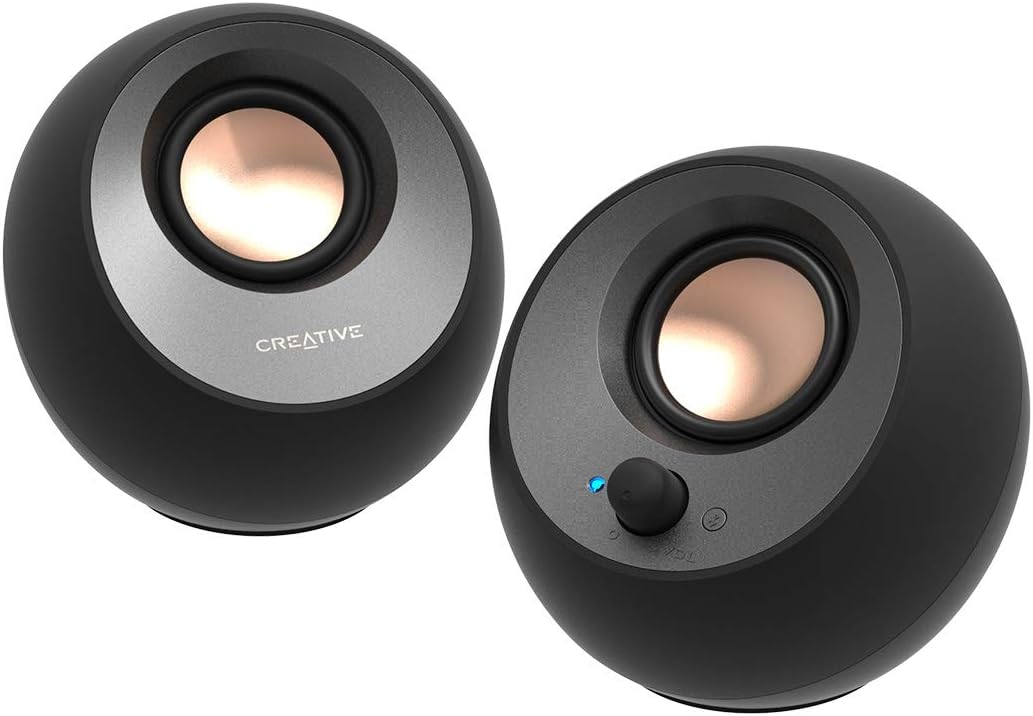
The Creative Pebble V3 is the speaker that shouldn’t be this good at $38. I know that sounds like marketing copy but hear me out.
These little orb-shaped speakers are USB-C powered (adapter included for USB-A), have Bluetooth 5.0, and put out 8W RMS. On paper that sounds pathetic. In practice, they fill a small room surprisingly well. Julian Krause did a comparison video on YouTube where he tested like 8 budget speakers and kept coming back to the Pebble V3 as the one that punched above its weight the most.
The bass is… present. Not deep. Not thumpy. But it’s there, which is more than you can say for most speakers this size. Creative uses angled drivers pointing upward at 45 degrees, which actually creates a wider soundstage than you’d expect from something the size of a baseball.
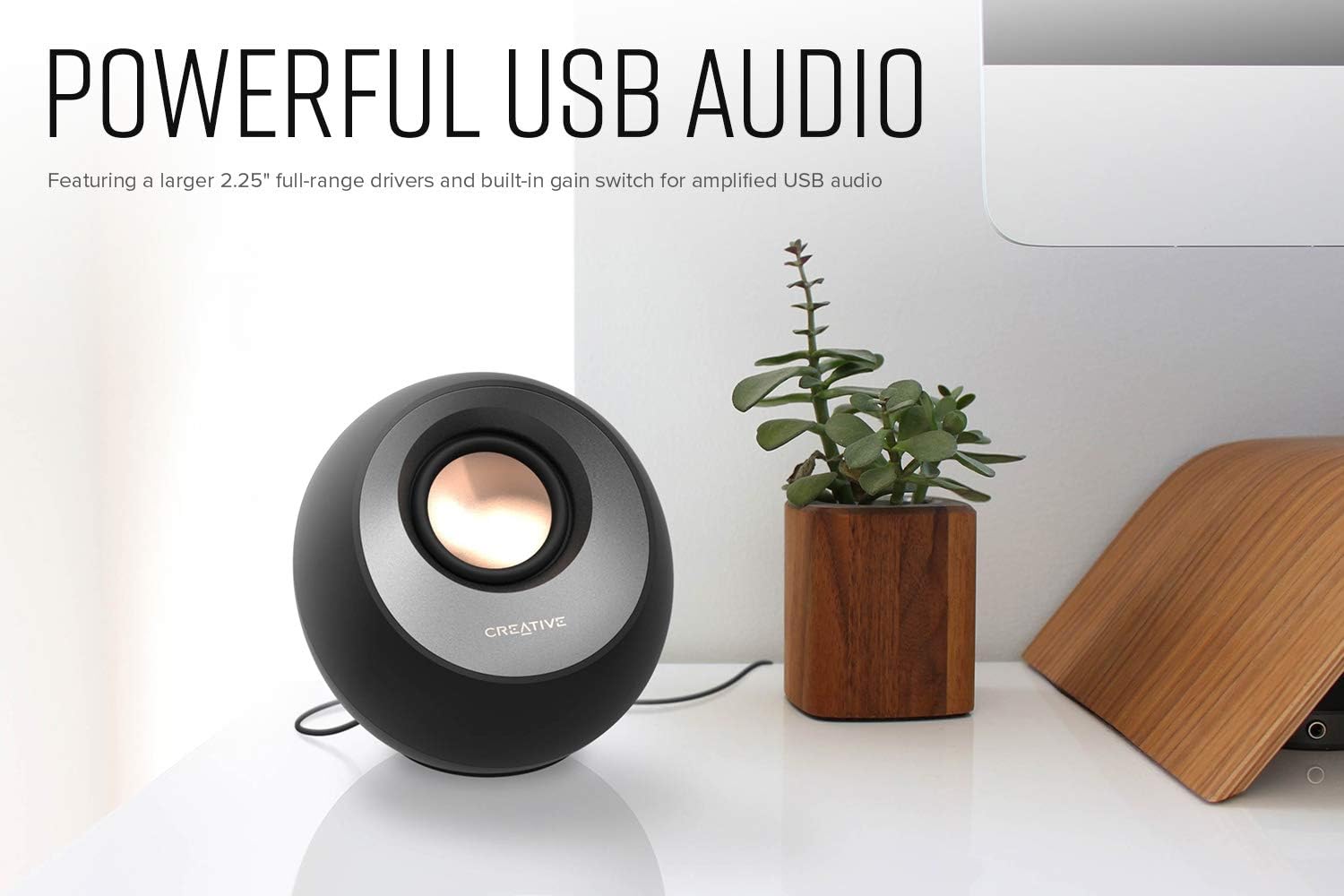
What Amazon reviewers actually say: I read through probably 80 reviews on these. The pattern is weirdly consistent. People who upgraded from laptop speakers or cheap $15 sets are blown away. People coming from bigger bookshelf speakers think they’re decent for the size. The 1-star reviews are mostly from people who expected room-filling bass from something that weighs 11 ounces.
One verified review that stuck with me: “I keep these at work and honestly I’ve stopped using my headphones for music during the day. For $35 on sale these are ridiculous.” That reviewer had 47 helpful votes.
The catch: no aux input on the V3. It’s USB audio or Bluetooth only. If you need a 3.5mm jack — say, to plug into an audio interface or a phone without Bluetooth — this isn’t your speaker. The older Pebble Plus has a 3.5mm input but sounds worse overall.
Best for: anyone on a tight budget, small desks, dorm rooms, secondary computer setups.
“What About the Edifier R1280DBs? That’s What You Have”
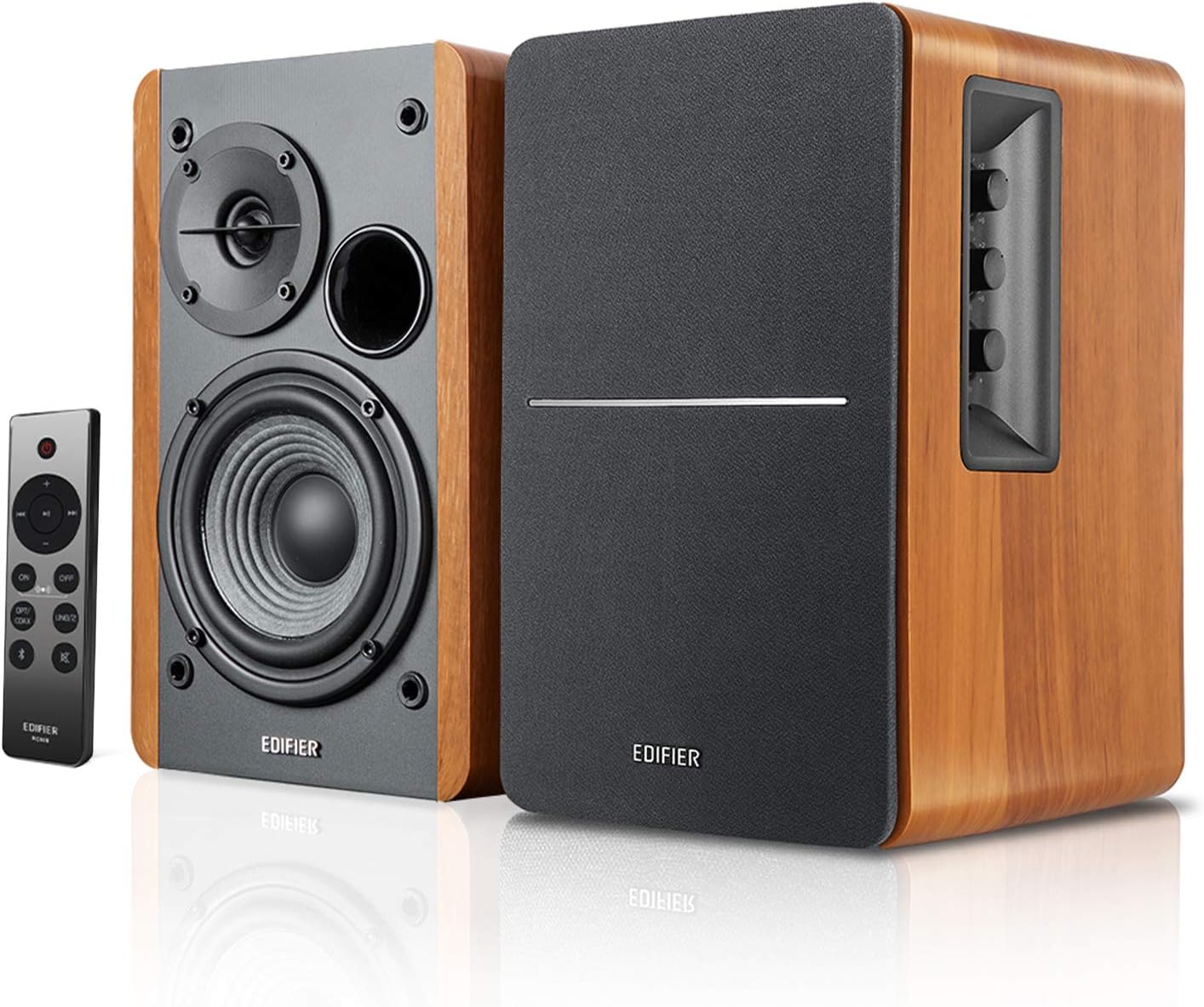
Yeah this is what I have on my desk and what I recommended to Dave. The Edifier R1280DBs runs about $130 and it’s — in my opinion — the best value in desktop speakers right now.
Here’s the thing about these though. When they first arrived and I set them up, my initial reaction was “huh, these are fine.” Not mindblowing. Not disappointing. Just… solid. And I think that’s actually the hallmark of a good speaker. It doesn’t have a gimmick. It doesn’t boost the bass artificially to impress you in the first 10 seconds. It just reproduces sound accurately.
After a few days I started noticing things. Songs I’d heard hundreds of times had details I’d never picked up on. The separation between instruments was clearer. Vocals sounded more natural. I hate being the guy who says “I heard things in my music I never noticed before” but… I heard things in my music I never noticed before. Crap.
Specs that actually matter: 42W RMS total, 4-inch bass drivers, Bluetooth 5.0, optical input, dual RCA, subwoofer line out. The subwoofer output is the “s” in R1280DBs — the regular R1280DB doesn’t have it. If you think you might ever want to add a sub, get the DBs version. Trust me.
What the forums say: Over on r/BudgetAudiophile, the R1280 series gets recommended so often it’s basically a meme. But interestingly, some users there suggest the R1380DB instead, which has a better tweeter for about the same price. I looked into it and the R1380DB does have a silk dome tweeter vs the R1280’s regular one, but availability is spottier and the R1280 has way more reviews and a longer track record.
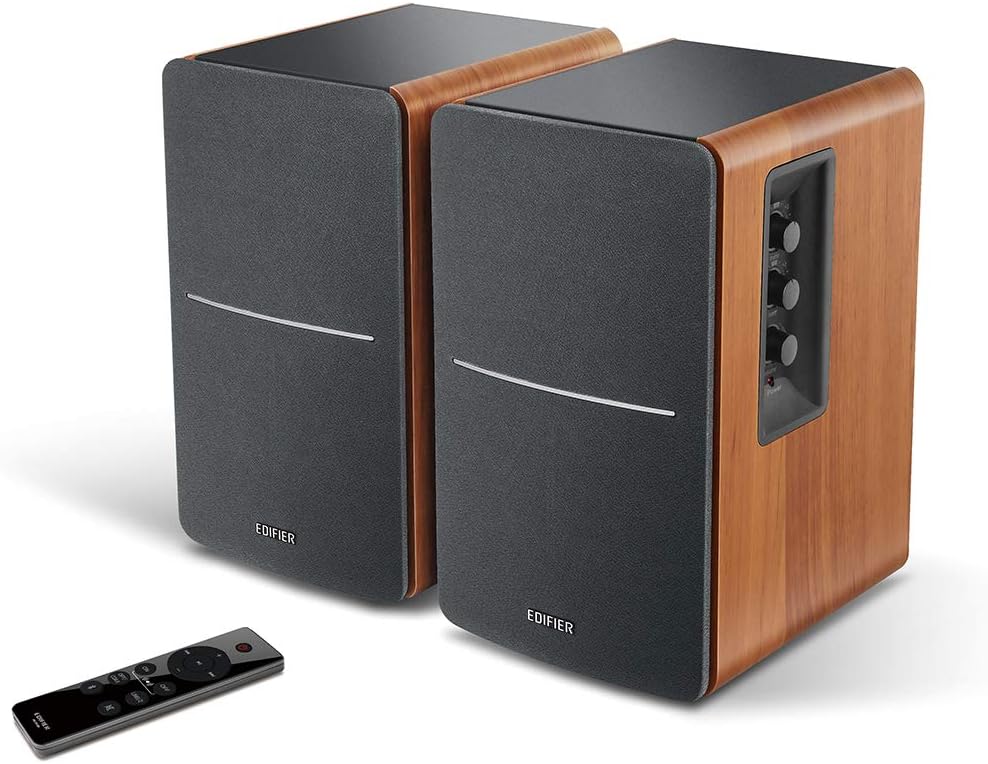
Complaints from Amazon reviews: The remote is cheap feeling plastic. Like, really cheap. Also a few people mentioned a slight hiss when nothing is playing — I notice this too if I put my ear right next to the tweeter, but from normal sitting distance it’s inaudible. One reviewer called the hiss “dealbreaking” which I think is a stretch unless you’re recording audio in the same room.
Best for: most people. Seriously. If you work from home, listen to music, watch YouTube, play casual games — this is the speaker.
“Should I Just Get a 2.1 System With a Subwoofer Instead?”
Dave asked me this one after he saw the Logitech Z407 on Amazon for around $70.
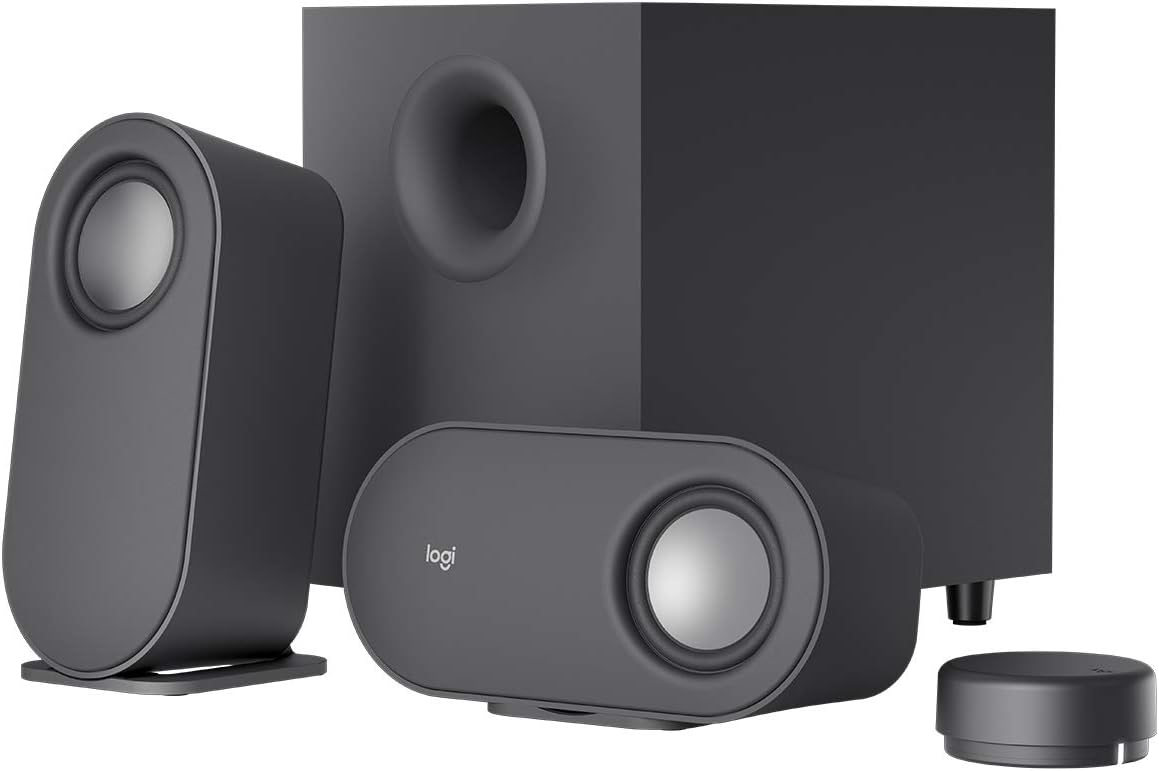
The Logitech Z407 is a 2.1 system — two small satellite speakers plus a separate subwoofer. It comes with a wireless volume dial which is honestly pretty cool. $70 for Bluetooth, a sub, and 80W peak power.
And look, it’s fine. For $70 it does what it says. You get bass — actual bass that you feel — which the Pebble V3 can’t touch. The wireless control puck is convenient. Setup takes five minutes.
But here’s what YouTube reviewer Podcastage pointed out that I think is spot on: 2.1 systems at this price cheat. They boost the bass to distract you from the fact that the satellite speakers sound thin and harsh on their own. The mids — where vocals and most instruments live — get kind of lost. So music sounds boomy and vocals sound distant. Not terrible, but compared to the Edifier R1280DBs at almost twice the price… yeah, you hear the difference immediately.
My take: If bass is your #1 priority and your budget is $70, the Z407 is a decent option. But if you care about overall sound quality — clarity, balance, detail — a good pair of 2.0 bookshelf speakers will beat a budget 2.1 system every time. You can always add a subwoofer to the Edifiers later using the sub out.
“What If I Want Something Really Premium?”
The Audioengine A2+ costs about $270 and honestly? It sounds phenomenal.
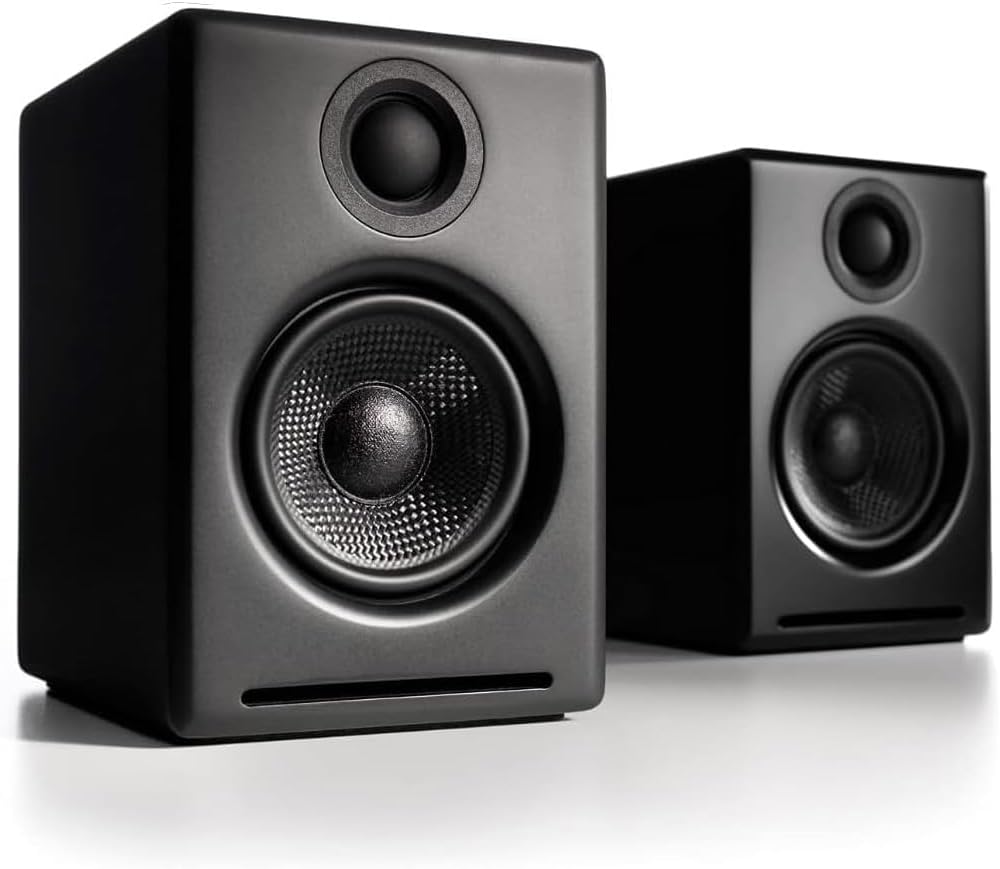
These are surprisingly compact — barely bigger than the Creative Pebbles — but they have a built-in DAC, Bluetooth 5.0, and 60W of power. The build quality is gorgeous. Hand-finished cabinets, real aluminum, connectors that feel like they belong on pro audio gear.
CNET’s review called them “a little bass shy without a subwoofer” and that’s fair. They’re not going to rattle your desk. But the mids and highs? Absolutely pristine. Vocal clarity is on another level compared to anything else on this list. If you listen to a lot of acoustic music, podcasts, or anything vocal-heavy, these things are special.
The real question: Is the jump from the Edifiers at $130 to the Audioengines at $270 worth it? I’ve heard both side by side (a buddy of mine has the A2+) and the honest answer is… kinda? The Audioengines are clearly better. But it’s not a 2x improvement for 2x the price. More like a 30% improvement for 100% more money. Diminshing returns hit hard in audio.
Best for: people who prioritize audio quality above all else and don’t mind paying for it. Music producers, audiophiles, or anyone who’s already tried mid-range speakers and wants more.
“Can I Use Desktop Speakers for Gaming?”
Yes, but with caveats.
For casual gaming — Stardew Valley, Civilization, story-driven single player stuff — any of these speakers work great. The Edifiers in particular are fantastic for gaming because the sound is so balanced you can hear footsteps, dialogue, and music without anything overpowering the other.
For competitive FPS games? Most serious players use headphones anyway because positional audio matters and speakers can’t replicate that. A 2.0 speaker setup gives you left and right separation but no real front-to-back. If you’re playing Valorant or CS2 competitively, these aren’t going to give you an advantage over headphones.
For cinematic games — stuff like God of War, Red Dead, anything with a big soundtrack — the Logitech Z407 or the Edifiers with a sub added later will give you that immersive feeling that headphones can’t match. There’s something about feeling bass through your desk that headphones just don’t do.
“What About Soundbars for Desktop?”
Dave almost bought a soundbar and I talked him out of it. Here’s why.
Desktop soundbars — the ones designed to sit under your monitor — are mostly junk. They’re marketed as space-saving alternatives to speakers but they sacrifice sound quality to fit everything into a thin bar. The drivers are tiny, the bass is nonexistent, and most of them sound worse than the Creative Pebble V3 at twice the price.
There are exceptions. The Creative Stage Air V2 is decent for ~$50. But even then, you’re getting convenience over quality. Two properly placed speakers will always create a better stereo image than a single bar sitting below your screen.
The only scenario where I’d recommend a desktop soundbar is if you literally have zero desk space for speakers. Like, none. Otherwise, a pair of Pebble V3s takes up about the same footprint and sounds better.
“Do I Need Bluetooth?”
Depends. Bluetooth is nice for when you want to quickly play something from your phone — a podcast while you’re cleaning your desk, a song someone texted you, whatever. The Edifier R1280DBs and Creative Pebble V3 both have Bluetooth and switching between your PC and phone is easy enough.
But here’s something people overlook: Bluetooth audio has latency. Not enough to matter for music, but enough to be noticeable in video. If you’re watching a movie over Bluetooth, the audio might be like 100-200ms behind the video. It depends on the codec — aptX Low Latency helps but neither the Edifiers nor the Pebbles support it.
For desktop use, just use the wired connection (USB for the Pebbles, optical or RCA for the Edifiers) and save Bluetooth for your phone. Problem solved.
Quick Comparison
| Creative Pebble V3 | Edifier R1280DBs | Logitech Z407 | Audioengine A2+ | |
|---|---|---|---|---|
| Price | ~$38 | ~$130 | ~$70 | ~$270 |
| Type | 2.0 | 2.0 | 2.1 | 2.0 |
| Power | 8W RMS | 42W RMS | 80W peak | 60W peak |
| Bluetooth | Yes | Yes | Yes | Yes |
| Sub out | No | Yes | Included | Yes |
| Inputs | USB-C | Optical, RCA, BT | 3.5mm, BT, micro USB | USB, 3.5mm, RCA, BT |
| Best for | Tight budgets | Most people | Bass lovers on a budget | Audiophiles |
So What Did Dave Buy?
He bought the Creative Pebble V3 for $38.
I know. After all that. Three weeks of Slack messages and me reading a hundred Amazon reviews and watching comparison videos on YouTube.
But honestly? It was the right call for him. He mostly listens to podcasts and the occassional Spotify playlist while working. He doesn’t game much. He wanted something that sounds decent and doesn’t take up half his desk. The Pebbles checked every box.
He messaged me two days after setting them up: “Why does music sound so much better on these than my monitor?” Welcome to the club, Dave.
If you want better sound and you can swing the $130, get the Edifier R1280DBs. It’s what I use daily and I have zero regrets. But the Pebbles are an absurdly good entry point.
Either way — just stop using your monitor speakers. Your ears will thank you.