Researched Picks earns a commission on qualifying purchases at no extra cost to you.
You’ve been waiting for the right moment to switch to Mac—or upgrade your aging desktop. Every decent Windows mini PC costs nearly as much as a Mac now, and you’re wondering if Apple finally made something that doesn’t require selling a kidney.
Our verdict: The Mac Mini M4 is the best desktop value Apple has ever offered—and possibly the best small form factor PC at any price under $1,000.
Our Pick: Apple Mac Mini M4 (2024)
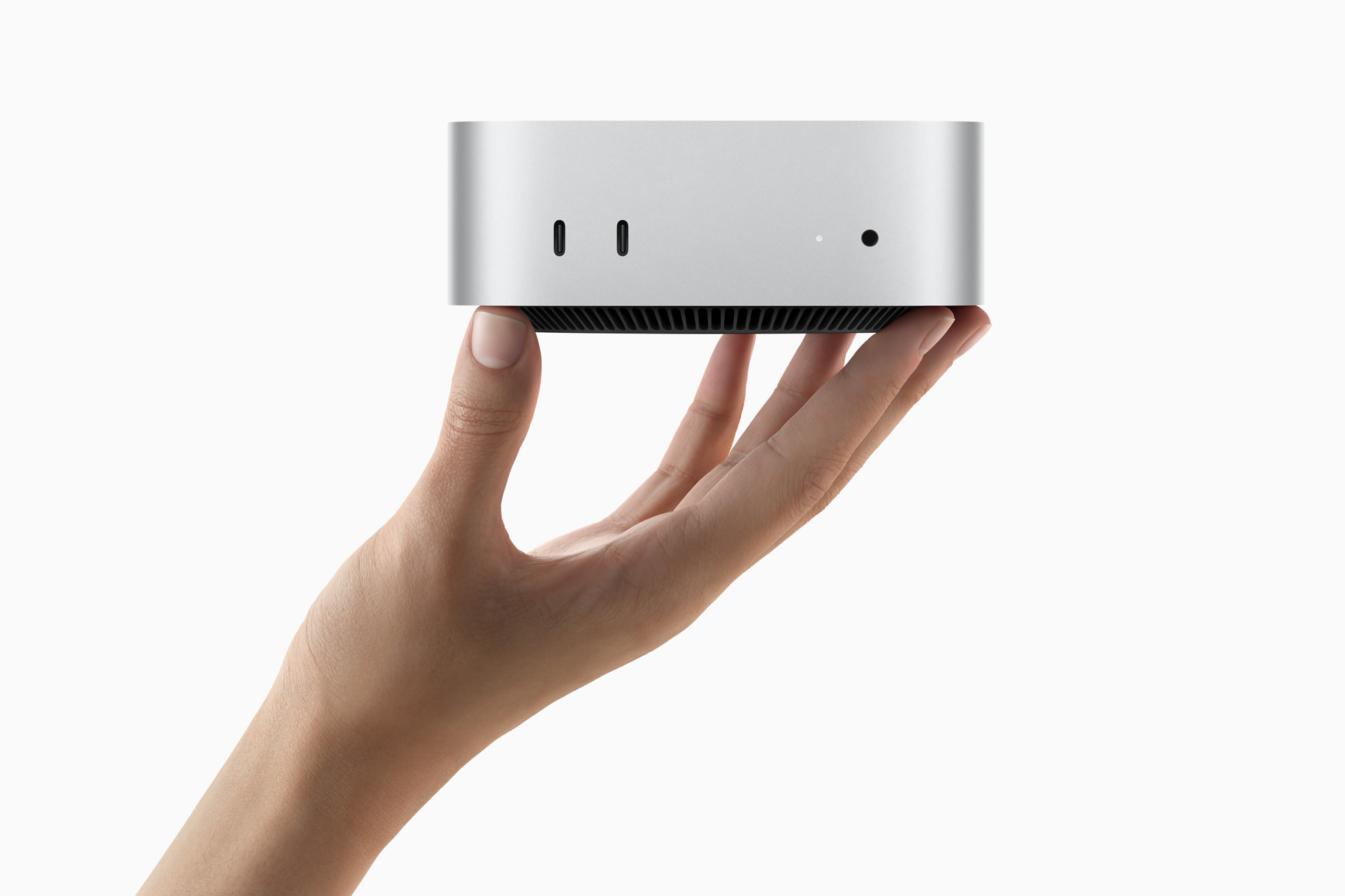
Quick take: A whisper-quiet desktop that handles everything from spreadsheets to 4K video editing, now in a 5-inch package with 16GB RAM standard—at $599.
Best for:
- Developers, designers, and creative professionals
- Anyone switching from Windows who wants reliability
- Home office setups prioritizing quiet operation
- Video editors working with 4K footage
Skip if:
- You need serious gaming (Windows still wins here)
- You require more than 32GB RAM
- You must have USB-A ports without adapters
- You need upgradeability down the road
Why It Stands Out
Finally, 16GB Standard
Apple heard the complaints. The base Mac Mini M4 now ships with 16GB unified memory—not the embarrassing 8GB from previous generations. Combined with the M4 chip, this handles professional workflows that would choke lesser machines.
Multiple MacRumors forum users confirm: “The base M4 offers better value than higher-end configurations for general use.”
Impossibly Small
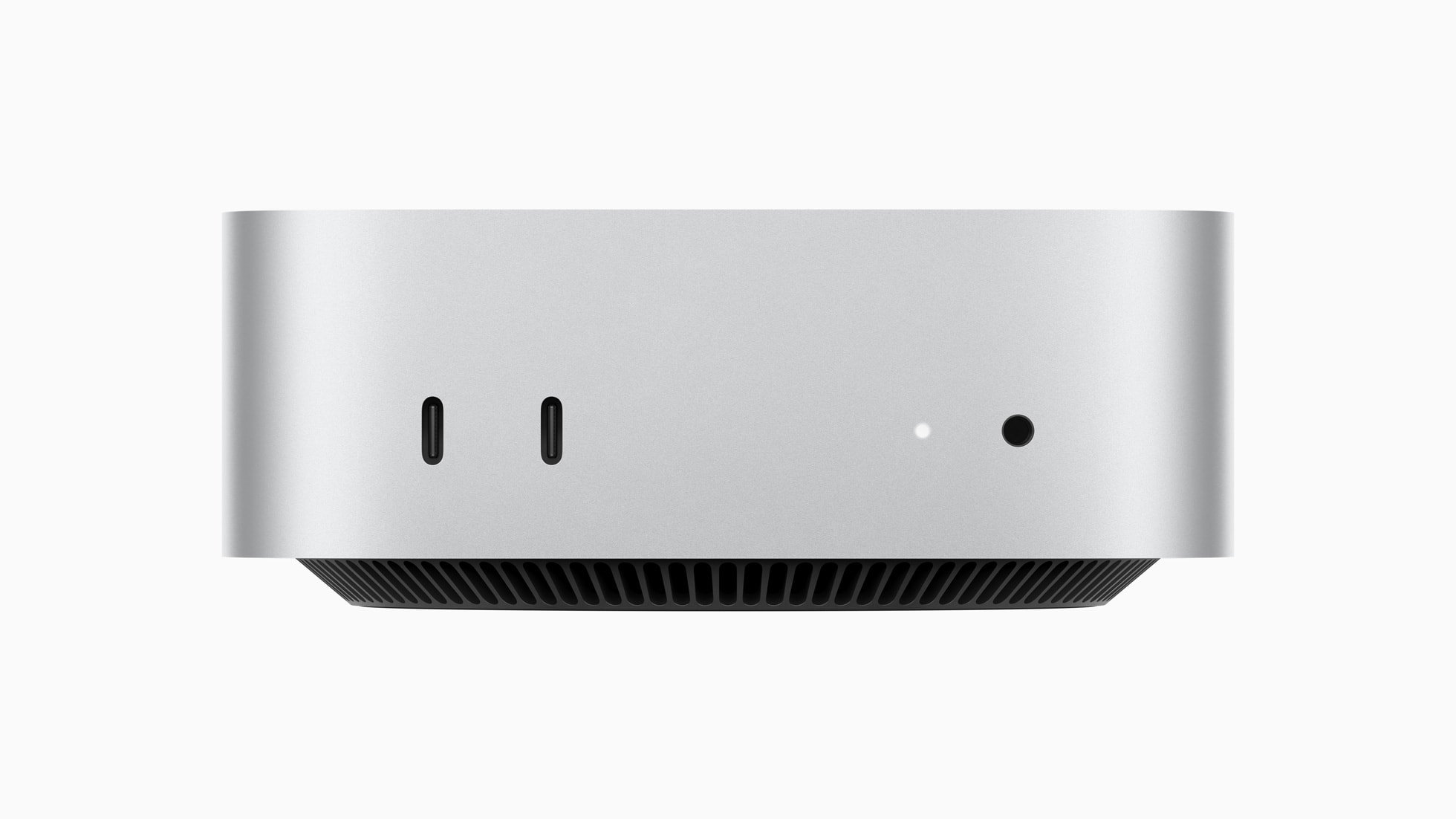
At just 5 x 5 inches, Apple redesigned the Mac Mini around Apple silicon from the ground up. It’s over two inches smaller than the M2 model and takes up less desk space than most external hard drives.
One XDA reviewer declared it “the best small form factor PC in the world.”
Silent Operation
During intensive testing, the Mac Mini M4 stayed below 50W power consumption with maximum temperatures of only 43.4°C. Translation: you’ll never hear it. The machine stays whisper-quiet even under sustained CPU+GPU loads—ideal for podcasters, musicians, or anyone who hates fan noise.
Front-Facing Convenience
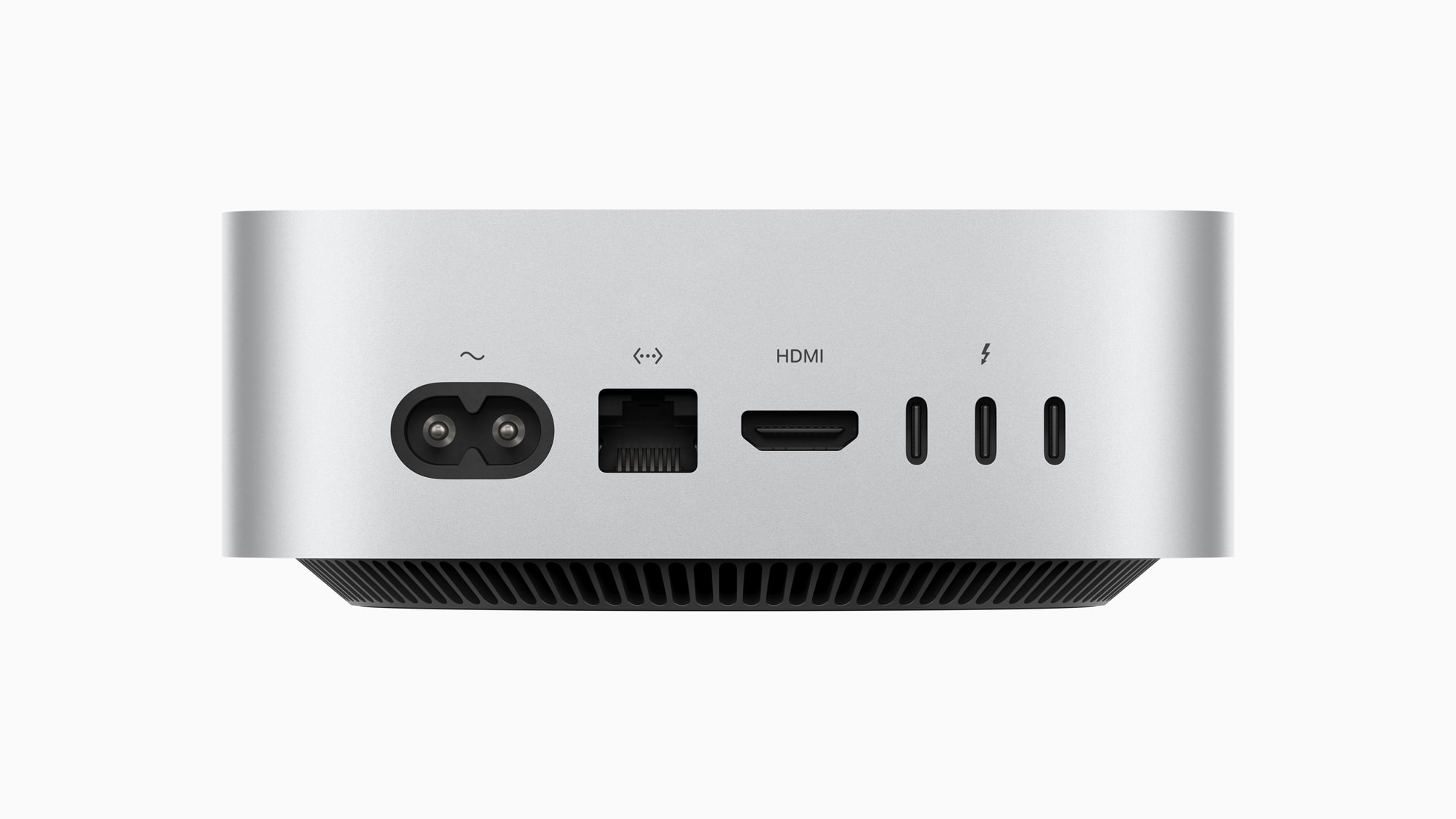
For the first time, the Mac Mini has front USB-C ports and a headphone jack. No more reaching around the back to plug in a thumb drive. The rear still features three Thunderbolt 4 ports, HDMI, and Gigabit Ethernet.
Raw Performance
Up to 55% faster CPU performance compared to the M2 Mac Mini. Real-world users on r/mac report smooth performance with AutoCAD, Revit, and demanding creative applications. 4K video editing in Final Cut Pro or DaVinci Resolve is buttery smooth.
Honest Downsides
Storage Stinginess
The base 256GB fills up fast—especially with macOS taking roughly 40GB and Apple Intelligence using another 5GB on fresh install. Apple charges $200 per 256GB upgrade, which is genuinely offensive. Consider the 512GB model ($799) if storage matters.
No Upgradeability
RAM and storage are soldered. What you buy is what you get forever. This isn’t a deal-breaker for most users, but if your workflow might demand 64GB RAM in two years, look elsewhere.
That Power Button
Apple put the power button on the bottom. You have to flip or lift the Mini to turn it on. Forum users universally criticize this as an unintuitive design choice. In practice, most people just leave it sleeping.
USB-C Growing Pains
Some early adopters report connectivity issues with USB-A devices using adapters on rear Thunderbolt ports. Front ports work fine. This appears to be a firmware issue Apple should address in updates.
One MacRumors user noted: “Problems with USB devices disconnecting randomly from the rear ports (but not the front—a bit strange!).”
Display Quirks
Users with 5K2K ultrawide monitors report HiDPI issues and occasional flickering. Standard 4K and 5K displays work flawlessly, but ultrawide support needs work.
Who Should Buy This
Creative professionals on a budget: Video editors, photographers, and designers get M4 performance without Mac Studio pricing.
Windows switchers: If you’ve been curious about macOS, this is the most affordable entry point with zero compromises on power.
Home office workers: Silent operation, small footprint, and reliability make it perfect for focused work.
Developers: Excellent for iOS/Mac development, web development, and running Docker containers.
Not for: Serious gamers, users who need USB-A ports everywhere, or anyone requiring future RAM/storage upgrades.
Competition Comparison
| Feature | Mac Mini M4 | Mac Mini M4 Pro | Mac Studio M4 Max | Windows Mini PC |
|---|---|---|---|---|
| Price | $599 | $1,399 | $1,999+ | $200-600 |
| CPU | 10-core M4 | 12-core M4 Pro | 14-core M4 Max | Varies |
| RAM | 16GB (up to 32GB) | 24GB (up to 64GB) | 36GB (up to 128GB) | 8-64GB |
| Storage | 256GB-2TB | 512GB-8TB | 512GB-8TB | 256GB-2TB |
| Ports | TB4, HDMI, USB-C | TB5, TB4, HDMI | TB5, USB-A, HDMI, SD | Varies |
| Best For | Most users | Power users | Professionals | Budget/gaming |
The verdict: Most users should buy the base M4. The M4 Pro only makes sense if you regularly work with massive files or need Thunderbolt 5. The Mac Studio is overkill unless you’re a professional video editor or 3D artist with specific needs.
As one Production Expert reviewer put it: “The Mac Mini with M4 Pro handles about 90% of the same tasks as Mac Studio for a fraction of the cost.”
Bottom Line
The Mac Mini M4 is Apple’s best desktop value—possibly ever. At $599, you get the M4 chip, 16GB RAM, silent operation, and a footprint smaller than a stack of coasters. Yes, storage is limited and the power button placement is baffling. But for the money, nothing else comes close.
If you’ve been waiting for the right moment to try Mac—or upgrade from an aging Intel machine—this is it. The performance-per-dollar equation finally makes sense.
Just don’t cheap out on storage. The 512GB model at $799 is the sweet spot for most users.
Questions about the Mac Mini M4 or need help deciding on a configuration? Drop a comment below.